THIS FUNCTION
AUOWS
TO
ACTIVATE
ONE
OR
MORE
UNIT
WHILE
WE
MOT
SELECTED
ONES
GO
ON
PERFORMING
THE
OWN
FUNCTION.
Press
MAN
key to activate
MUV
function [Fig.
12).
The
MAN
key led will light up to indicate the activation of this func-
tion, and the display changes as shown in [Fig.
5
see par
4.4).
Do
reference to the par
4.4
for the keys function, except for
the
M)NE
key:
Fig.
12
L
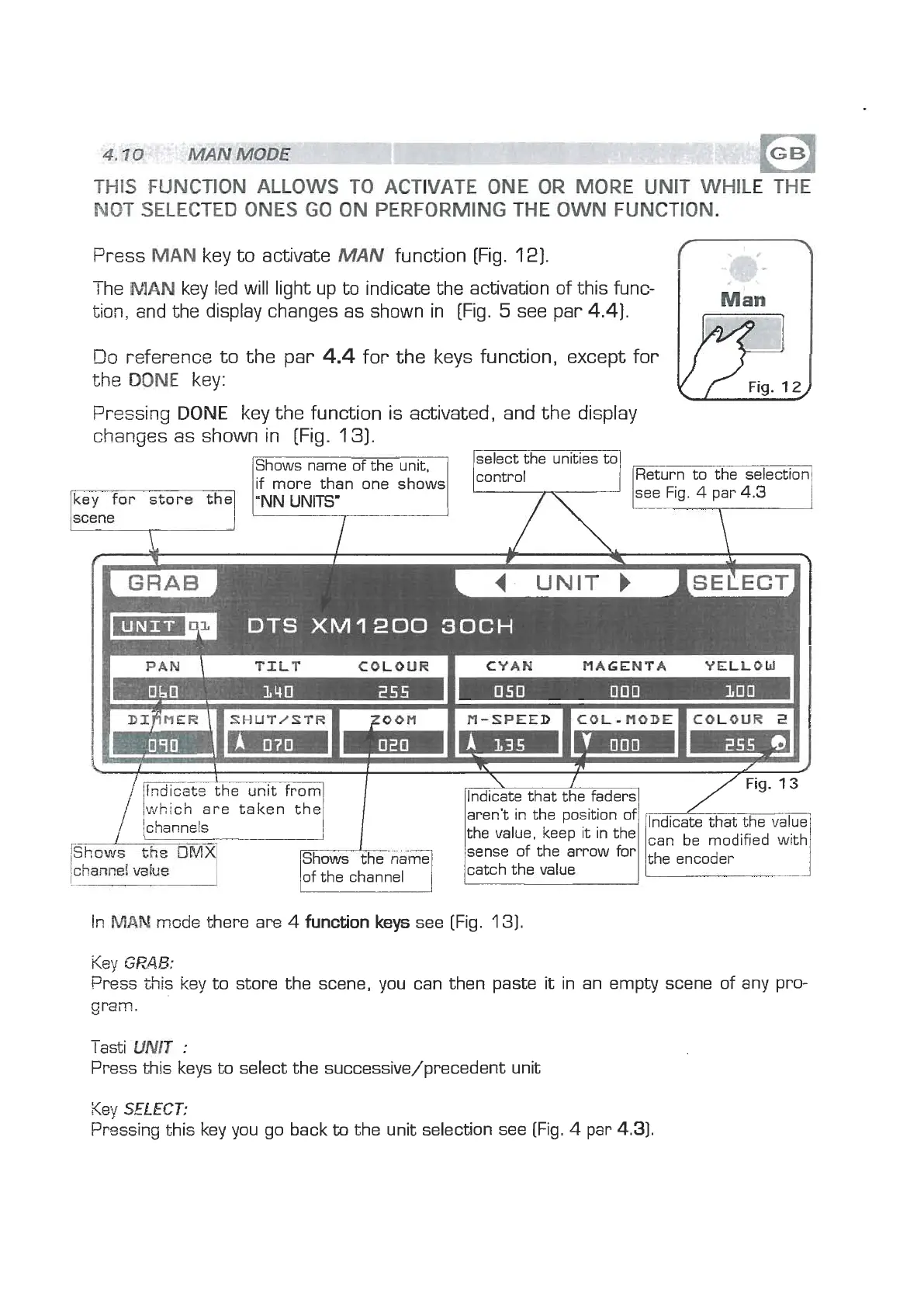
Pressing
DONE
key the function is activated, and the display
changes as shown in [Fig.
131.
Shows name of the unit,
select the unties to
Return to the selection
if more than one shows
ey
for
store
f;
a
UNITS'
/which are taken the
ichann~ls
\
1
/Indicate that the faders1
aren't in the position of
the value, keep it in the
sense of the arrow for
catch the
vqlue
In,W
msde there are
4
function keys
see [Fig.
131.
Key
GPAB:
bess this key to store the scene, you can then paste
it
in an empty scene of any pro-
gram.
-
lasti
UNIT
:
Press this keys to select the successive/precedent unit
Key
SELECT:
Pressing this key you go back
to
the unit selection see (Fig.
4
par
4.31.


 To Next Page
 Loading...