THIS
FUNCTION
UOWS
TO
MASK
THE
CHANNELS
OF
THE
PREVIOUSLY
SELEC-
TED
UNIT
IN
A
DHERMINED
SCENE,
Press.
MASK
keyts
aatjvate
W$K
function [Fig.
10)
-
i
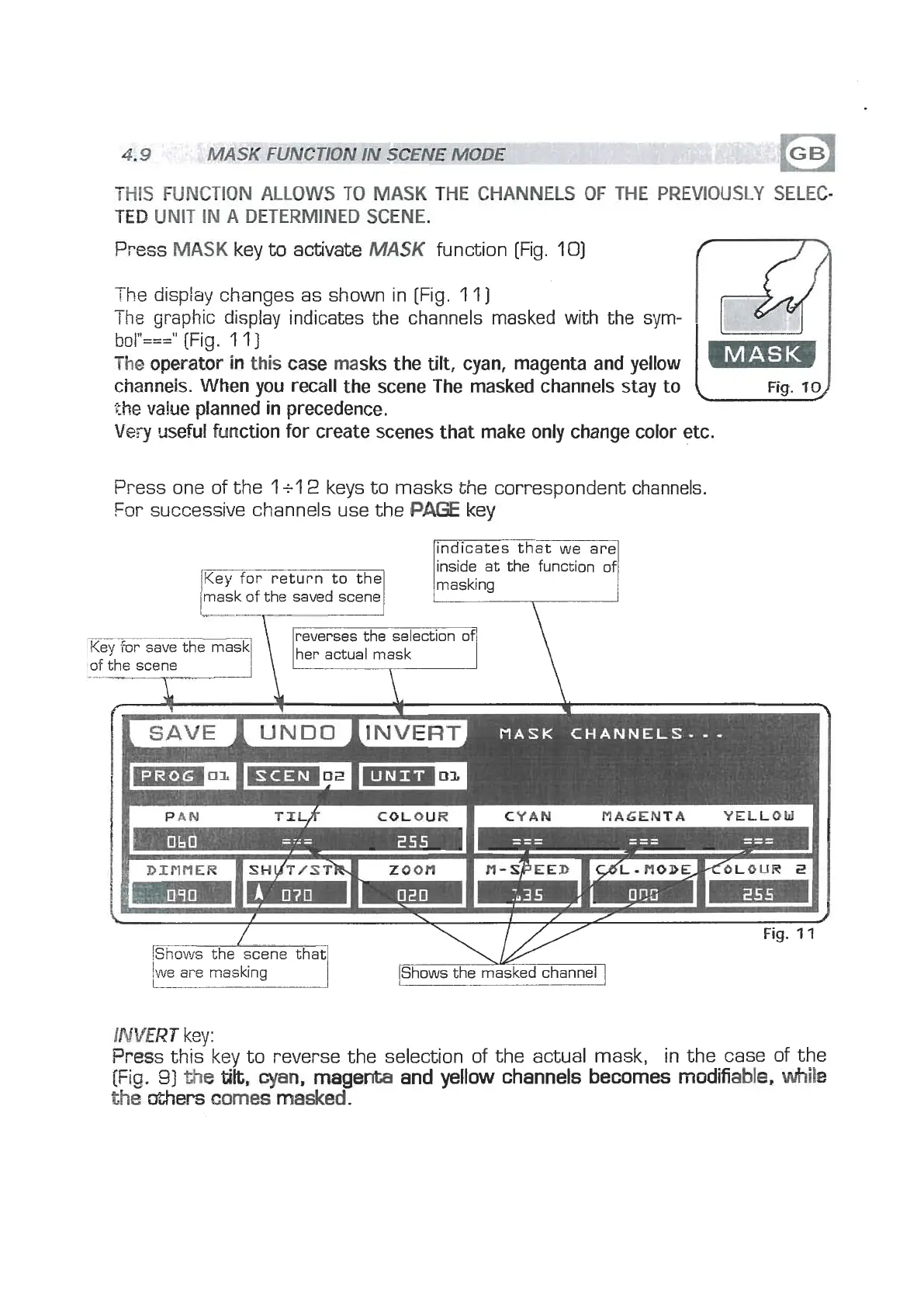
he display changes as shown in [Fig. 11)
The
graphic display indicates the channels masked with the sym-
bol"==="
[Fig.
1 1
]
The operator
in
this case masks the
tilt,
cyan, magenta and yellow
channeis. When you recall the scene The masked channels stay to
(
the
value planned in precedence.
Very
useful function for create scenes that make only change color etc.
Press one of the
1
+l
2
keys to masks the correspondent channels.
For successive channels use the
PAGE
key
mask
of
the
saved scene
lindicates that we are1
inside at the function
of
masking
COLOUR
I
CYAN
MAGENTA
YELLOW
I
DINflER
I
SH~TIST~
ZOOM
I
N-SPEED
I
d~
-
HODEKOLOUR
2
we ai-e masking
IShows the masked channel
I
INVERT
key:
Press this key to reverse the selection of the actual mask, in the case of the
[Fig.
31
the
tilt,
cyan,
magenta and yellow channels becomes
modifiable.
while
the
@hers
comes
masked.


 To Next Page
 Loading...