SAVE
key:
hs5
this key to save the step
UNDO:
Pvessing this key you go back
to
the saved step
MASK
key:
Press this key to activate the mask function, see par
6.10
PAGE
keys
:
Press this keys to select the successive/precedent page
3PG
keys:
Pressing
this
will
jump
of
3
pages in
3
pages.
5.
:
--
'&$INNELS ADJUSTMENT FADERS IN EDIT STEPS
MODE-^^'
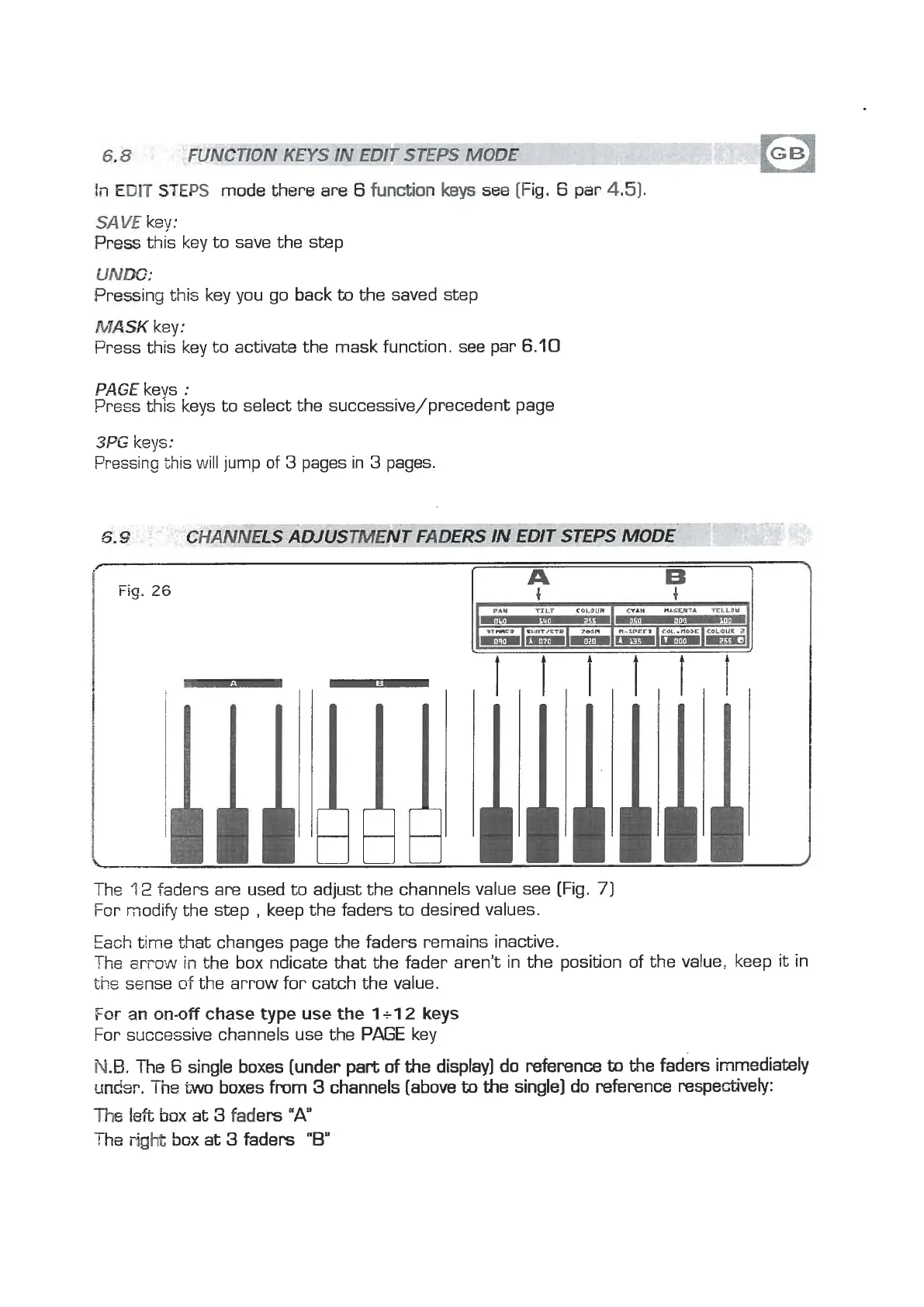
The
12
faders are used to adjust the channels value see [Fig.
71
For modify the step
,
keep the faders to desired values.
Each time that changes page the faders remains inactive.
The
ari-ow
in
the box ndicate that the fader aren't in the position of the value, keep it in
th~
sense
(71:
the arrow for catch the value.
For
an
on-off
chase type use the
1
+l
2
keys
For successive channels use the
PAGE
key
N.B.
The
6
single boxes [under part of the display] do reference
to
the faders immediately
-.
unrisr.
I
na
iwo
boxes from
3
channels [above
to
the single] do reference re~pe~vely:
T~E
left
box
at
3
faders
"A"
The
iiight
box at
3
faders
"B"



 To Next Page