:FFECT
MODE
THIS
FUNCTCON
ALLOWS
TO
ACTIVATE
RN
EFFECT
GENERATOR
AND
MODIFY
THE
PARAMETERS.
USING
THIS
MODE
OF
OPERATION
17
IS POSSlBL
E
CREATE
AlVIMATlONS
OF
NOTABLE EFFECT WITH
AN ONL
Y
COMMAND.
Press
EFFECT
key to activate
EFFECT
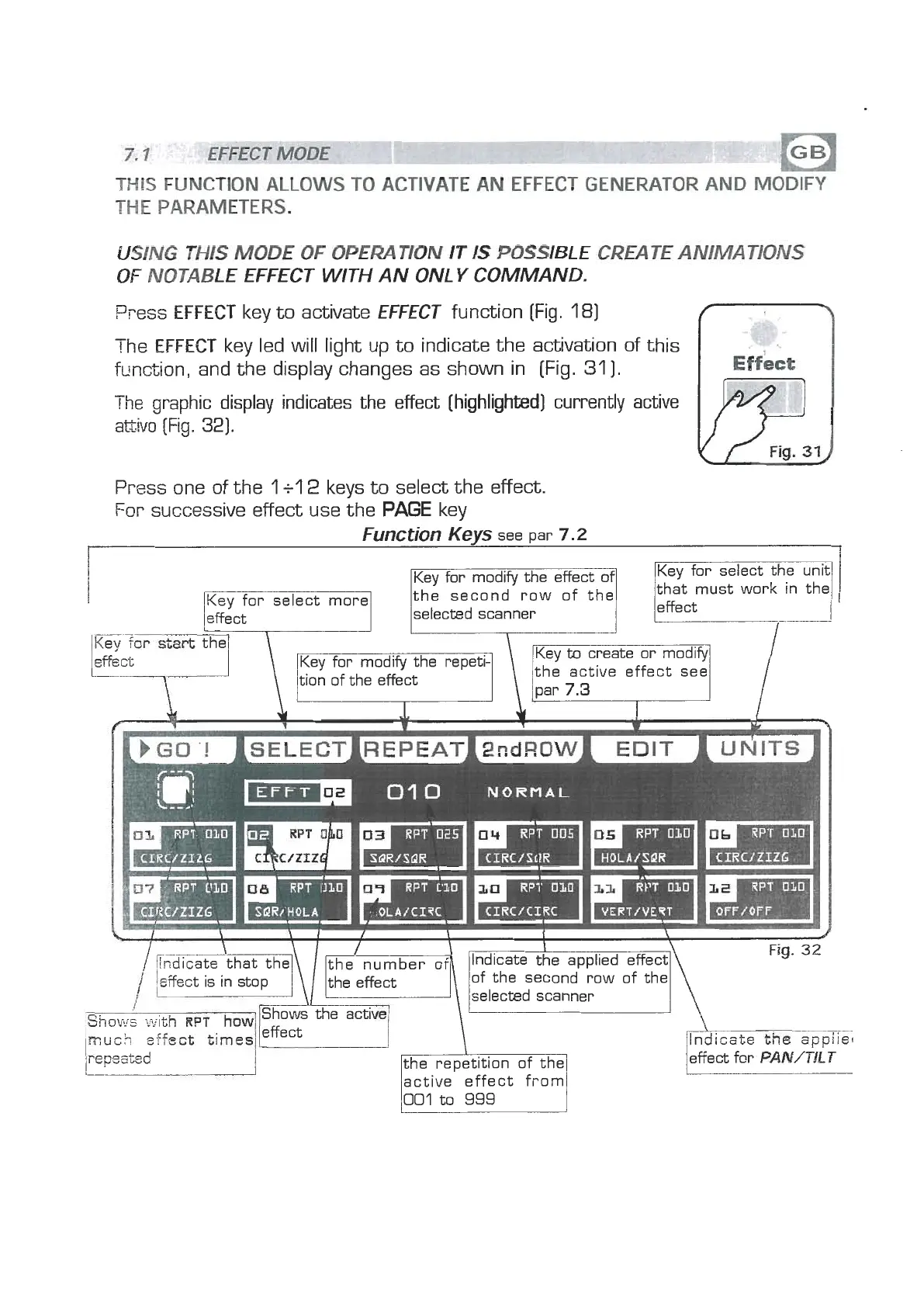
function [Fig. 181
The
EFFECT
key led will light up to indicate the activation of this
function, and the display changes as shown in [Fig.
311.
The
graphic display indicates the effect [highlighted) currently active
attivo
[Fig.
32).
Press one of the
1
+l
2
keys to select the effect.
For successive effect use the
PAGE
key
Function
Keys
see par
7.2
Key for select more
1
selected scanner
lKey for select the unit)
/that must work in the1
/l
the active effect see
0'1
0
NORMAL
\
1
I
I
\
l
Fig.
32
6d~dthat the theinumber of Indicate the applied effect
/
affect is in stop keffect
\
of the second row of the
selected scanner
lrllf%:z
Shows with
RPT
how
the active1
much
effect times
re~sated effect f~r
PAN/TKT
L
active effect from
001
to
999


 To Next Page
 Loading...