AWLABLE
DNLY
AFTER
'ktE
ACTIVATION
OF
THE
MENU
FUNCTIONS
&.par,
l#,
l
3
ALLOWS
TO
RESET
ONE
OR
IWORE
UM.
(only
if
the selected unit are predisposed for this function).
?his
function must be performed when the unit lose synchronization or they
don't
perform the commands of the controller in a correct way.
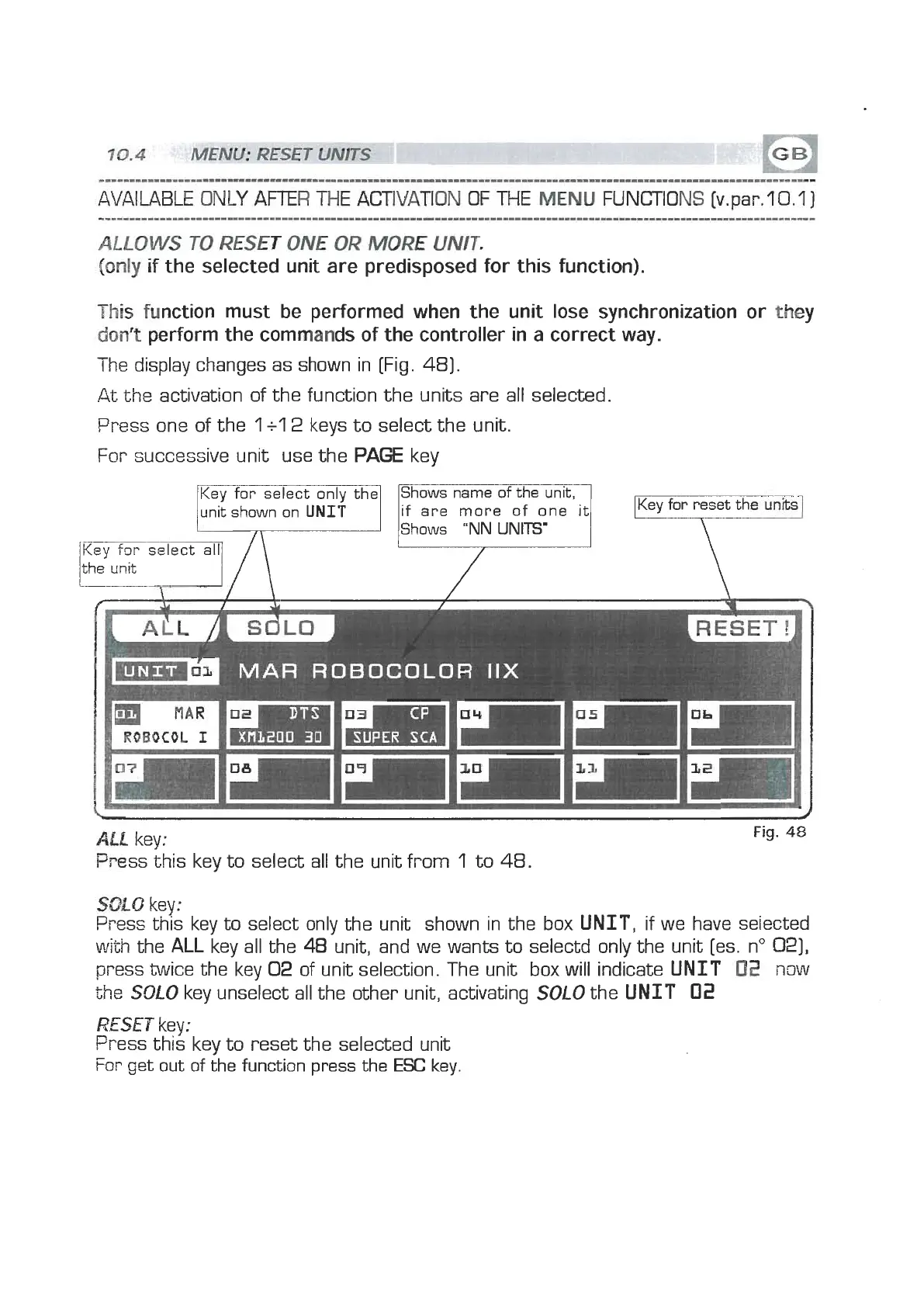
The display changes as shown in [Fig. 481.
At the activation of the function the units are all selected.
Press one of the
1
+l
2
keys to select the unit.
For successive unit use the
PAGE
key
unit shown on
UNIT
if
are more of one
it
Shows
"NN
UNITS'
7
MAR
ROBDCOLOR
IIX
Key
for reset
the
un
T
Ail
key:
Press this key to select
all
the unit from
1
to
48.
Fig.
48
SOLO
key:
Press this key to select only the unit shown in the box UNIT, if we have seiected
with
the
ALL
key all the
48
unit, and we wants to selectd only the unit [es. no
021,
press twice the key
02
of unit selection. The unit box will indicate UNIT
02
now
the
SOLO
key unselect all the other unit, activating
SOLO
the UNIT
02
RESET
key:
Press this key to reset the selected unit
For get out of the function press the
ESC
key


 To Next Page
 Loading...