AVAItA8LE
ONW
AFER
WE
ACTlVAnON
OF
THE
MENU
FUNCTJQNS
&.par.
10.7
1
mfs
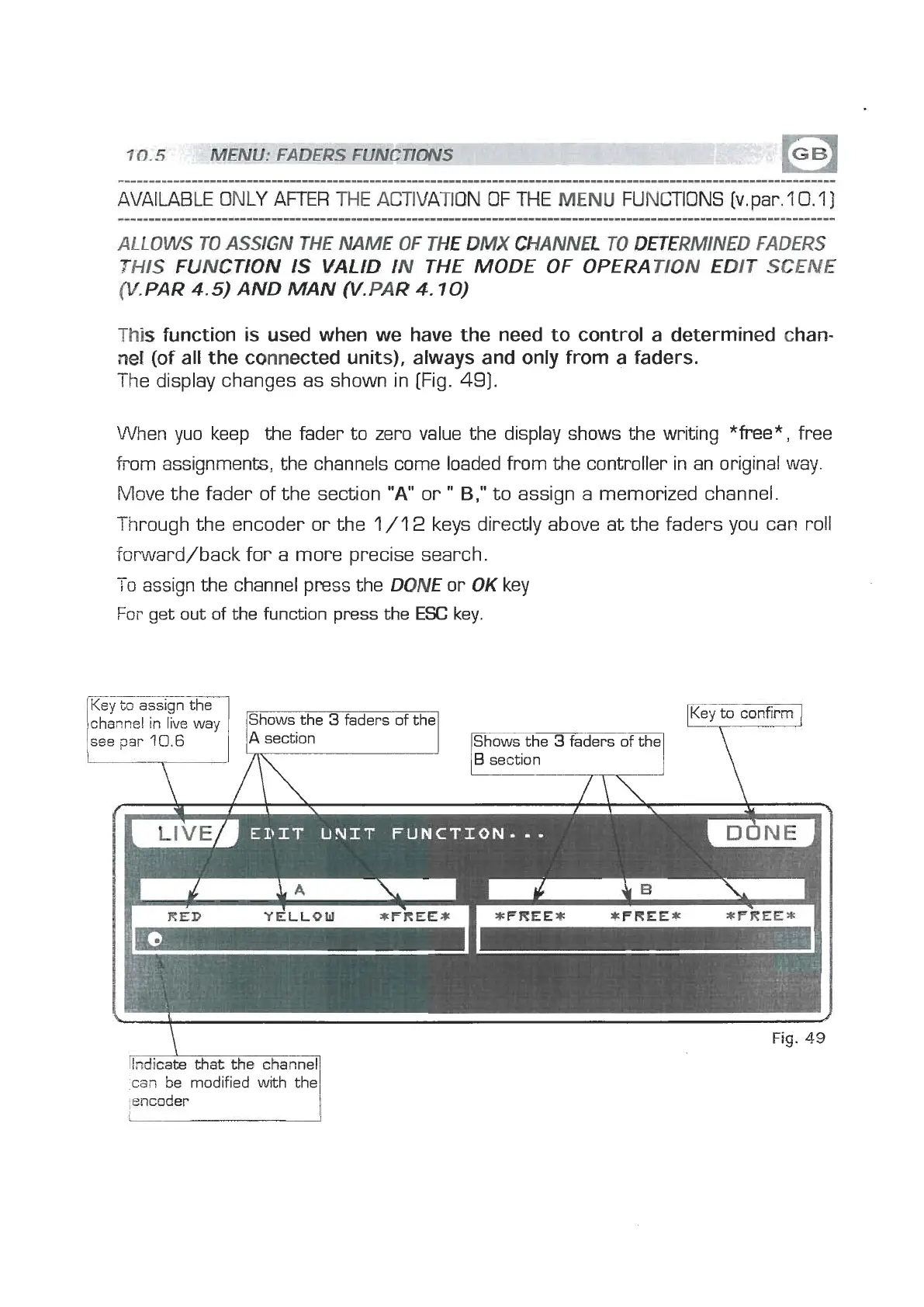
function is wd when we have the need to control a determined chan-
nel
(of all the connected units), always and only from a faders.
The display changes as shown in [Fig.
491.
When yuo keep the fader to zero value the display shows the writing
*free*,
free
from assignments, the channels come loaded from the controller in an original way.
Move the fader of the section
"A"
or
"
B,"
to assign a memorized channel.
Through the encoder or the
1/12
keys directly above at the faders you can roll
iorward/back for a more precise search.
-
r
o
assign the channel press the
DONE
or
OK
key
For
get out of the function press the
ESC
key.
Fig.
49
Key
to
assign the
channel
in
live way
see
sat-
10.6
can
be modified with the
:encoder
Shows the
3
faders of the
v
A
section
IShows the
3
faders of the]


 To Next Page
 Loading...