-
AVAILABLE
MVLY
ARER
THE
ACTIVATION
OF
THE
MENU
FUW[=TIONS
[v.par.10.7]
ALLOWS
TO
LgClD
A
COMPLETE
SETUP
F-
UBWZY
AND
STORE
K
IN
MEMORY.
Press
the
LOAD
key
to load setup from library [Fig.
52).
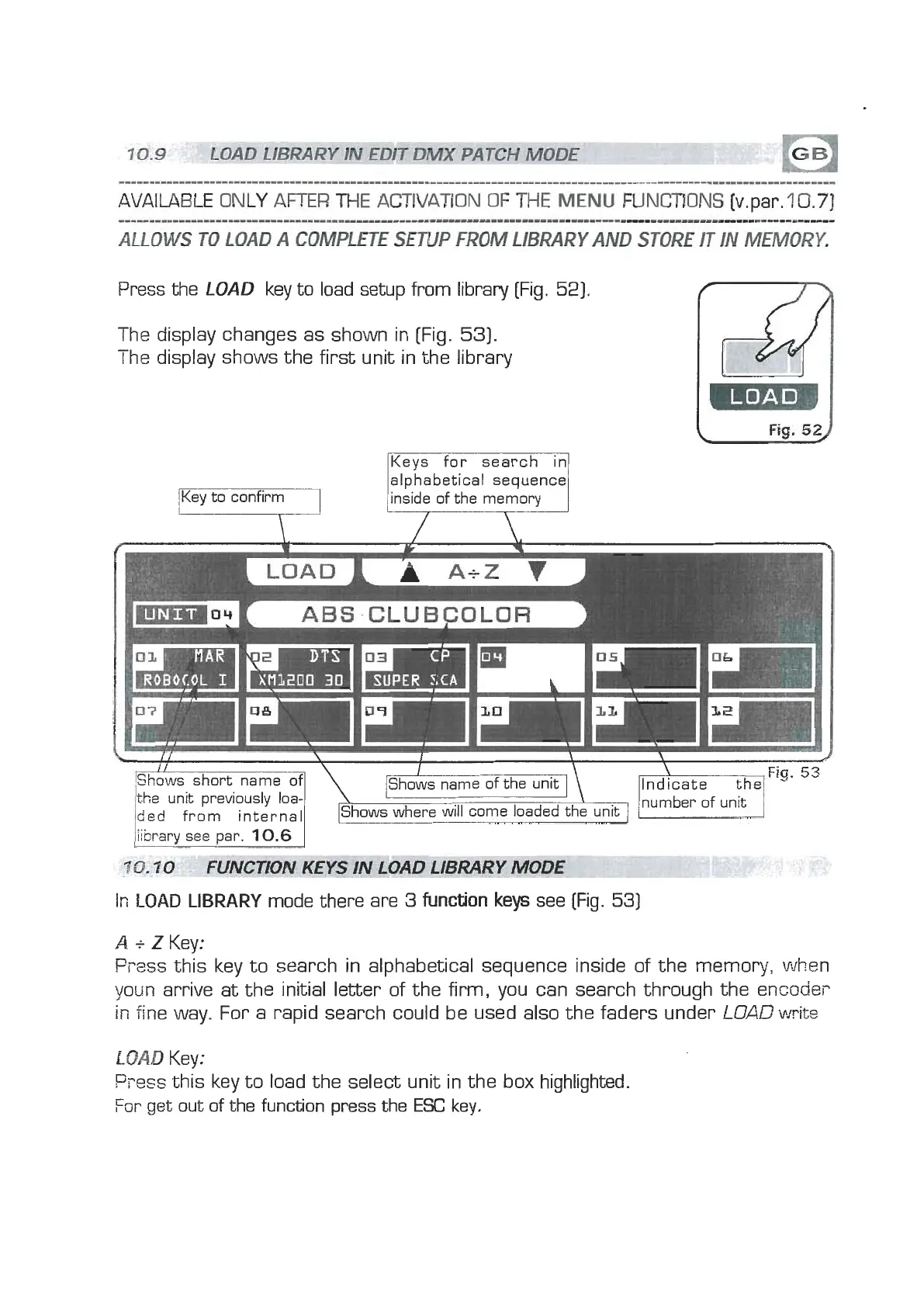
The display changes as shown in [Fig.
53).
The display shows the first unit in the library
/Key to confirm
IKevs for search in1
alphabetical sequence
inside of the memory
LOAD
Fig.
52J
ABS
CLUBCULOR
I
Shows name of the unit
]
number of unit
where will come loaded
t
/library see par.
10.6
1
7
0.10
FUNCTION KEYS IN LOAD LIBRARY
MODE
Ir;
LOAD
LIBRARY
mode there are
3
function
keys
see
(Fig.
53)
A
i
Z
Key:
Fress
this key to search in alphabetical sequence inside of the
memory,
when
youn arrive at the initial letter of the firm, you can search through the encoder
ir;
fine way. For a rapid search could be used also the faders under
LOAD
write
LOAD
Key:
Press
this key to load the select unit in the box highlighted.
For
get out of the function press the
ESC
key.



 To Next Page
 Loading...