AVAlLPf6LE
ONLY
AFTER
THE
ACTIVATION
OF
WE
MENU
FUNCTDNS
[v.par.
I
0.93
ALLOWS
70
MODIFY
THE
NAME
OF
EX&#
CHANNEL
AND
ITS
PARAMETERS
(RESff
VALUE*
BLACKOUT
V/U.UE,
HARD/SOFT CROSS) IT ALSO
ALLOWS
TO ASSIGN SPECIAL FUNCTIONS TO THE CHANNEL
QPAN/flLT,PAN LOW/TILT LOW, LAMP CONTROL).
The
graphic display indicates the unit [highlighted) currently active (Fig.
51
par
10.7)
for modify it press the
EDIT
key [Fig.
54).
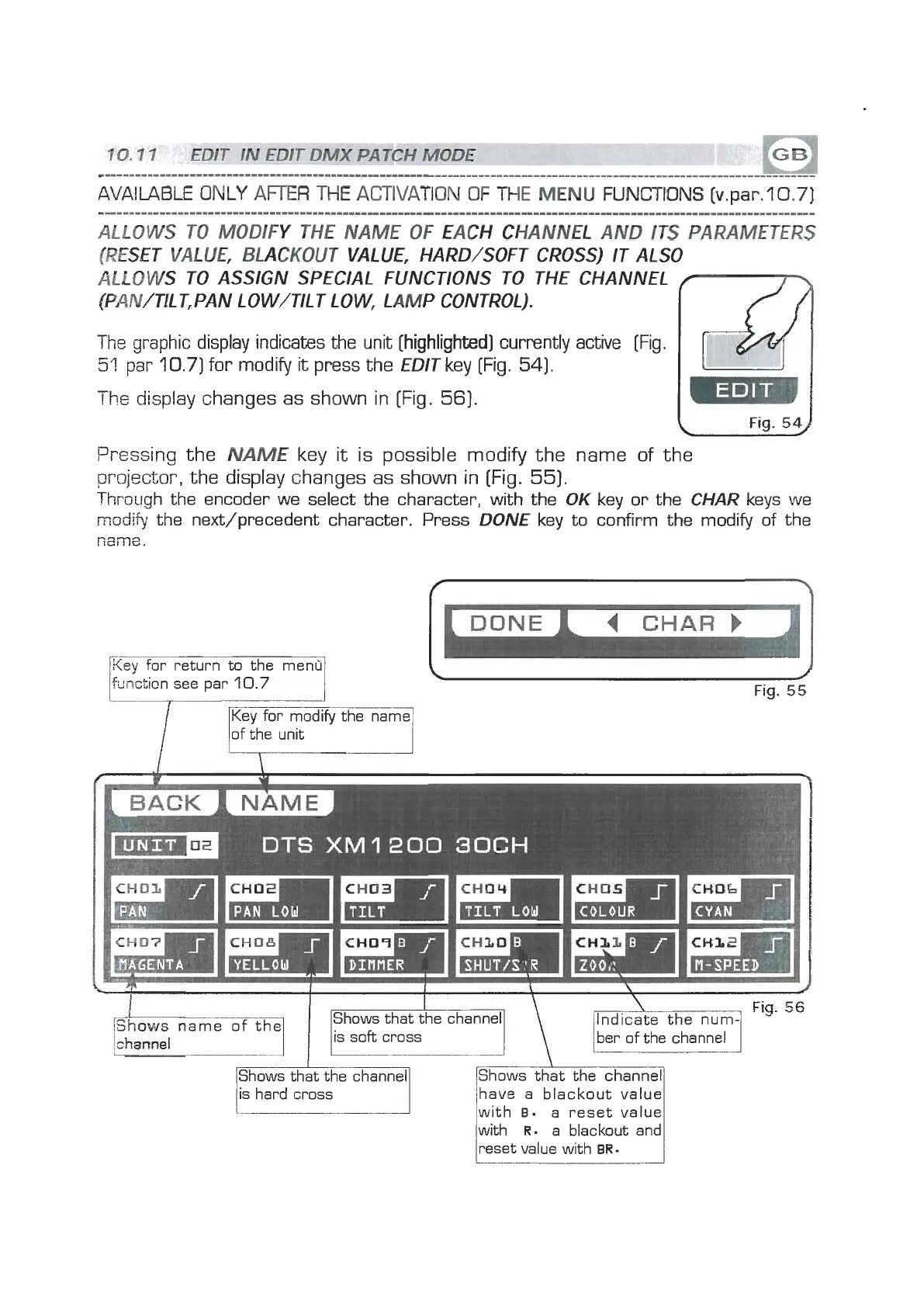
The display changes as shown in [Fig.
56).
Pressing the
NAME
key it is possible modify the name of the
project,or, the display changes as shown in [Fig.
55).
Through the encoder we select the character, with the
OK
key or the
CHAR
keys we
modify
the next/precedent character. Press
DONE
key to confirm the modify of the
name.
Key
for return to the menu
function see par
10.7
of the unit
A
4
CHAR
)
4
I
Fig.
55
iShows
name of the
Shows that the channel
/Shows that the channel1
/is hard cross
I
IShows that the channel]
/have a blackout value1
lwith
B.
a reset value1
with
R.
a blackout and
reset value with
BR.


 To Next Page
 Loading...