AVblllABLE
ONLY
W€R
ME
ACTIVATION
OF
M
MEN
U
RINCTlUNS
[v.
par.
7
0.
'1
7.
j
Through the
1
+l
2
keys select the number of the channel to modify see [Fig.
56
par
10.1
l].
For
the successive
channels
use
P=
key
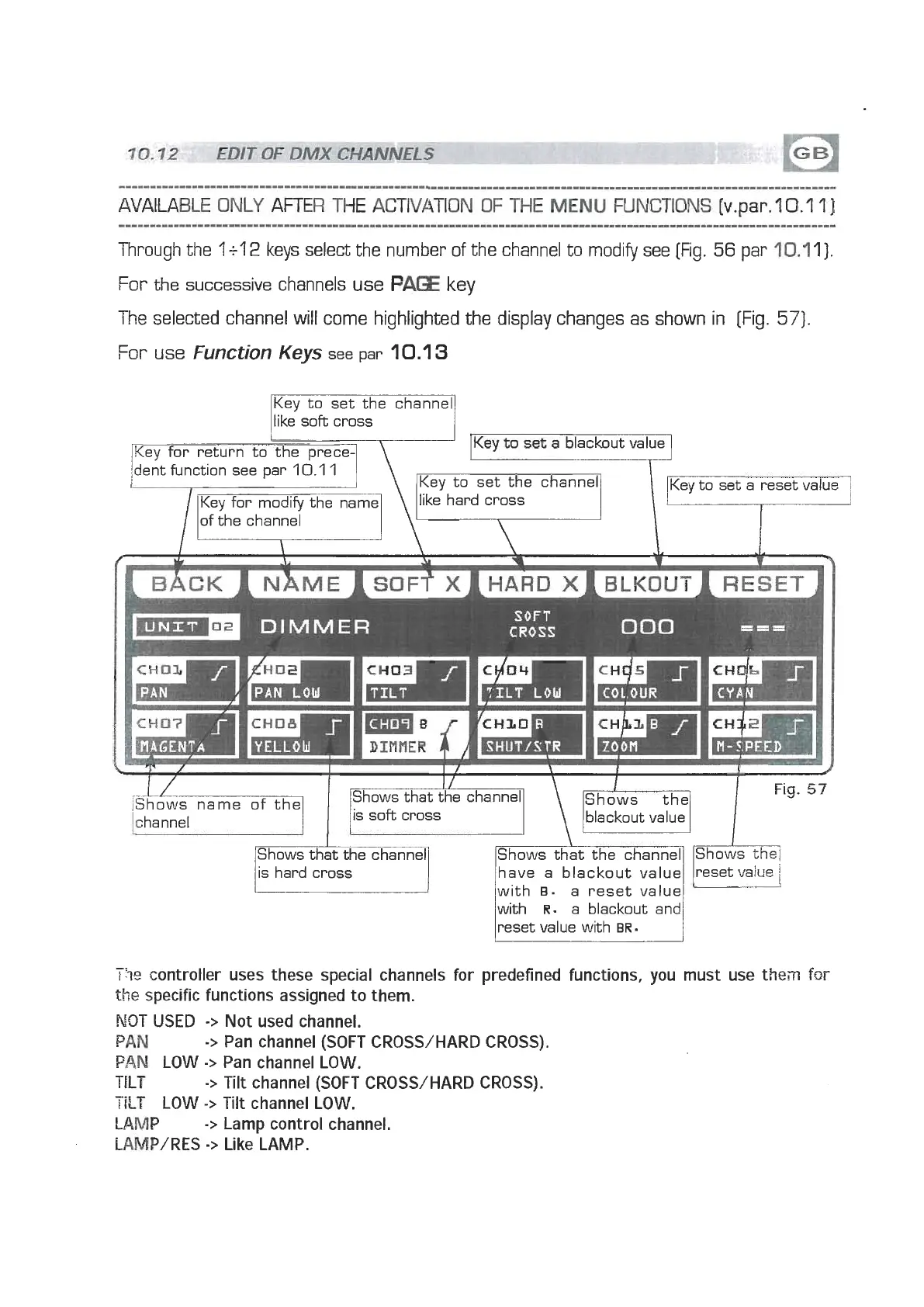
The selected channel will come highlighted the display changes as shown in [Fig.
571.
For
use
Function
Keys
see par
10.1
3
Key to set the channel
like soft cross
7
DIMMER
SOFT
CROSS
Shows that the channel
l
Fig.
57
Shows-'
'
the
blackout value
Shows that the channel Shows that the channel Shows the1
have a blackout value reset value
with
B. a reset value
with
R.
a blackout and
reset value with
BR.
-.
1%
controller uses these special channels for predefined functions, you must use then
for
the
specific functions assigned to them.
NOT USED
->
Not used channel.
PAN
->
Pan channel (SOFT CROSS/HARD CROSS).
PAN
LOW
->
Pan channel LOW.
TILT
->
Tilt channel (SOFT CROSS/HARD CROSS).
TILT
LOW
->
Tilt channel LOW.
LWP
->
Lamp control channel.
IAMP/RES
->
Like LAMP.


 To Next Page
 Loading...