AVAILABLE
ONLY
AFER
THE
ACRVATION
DF
THE
MENU
FUNCTIONS
[v.par.lO.?
j
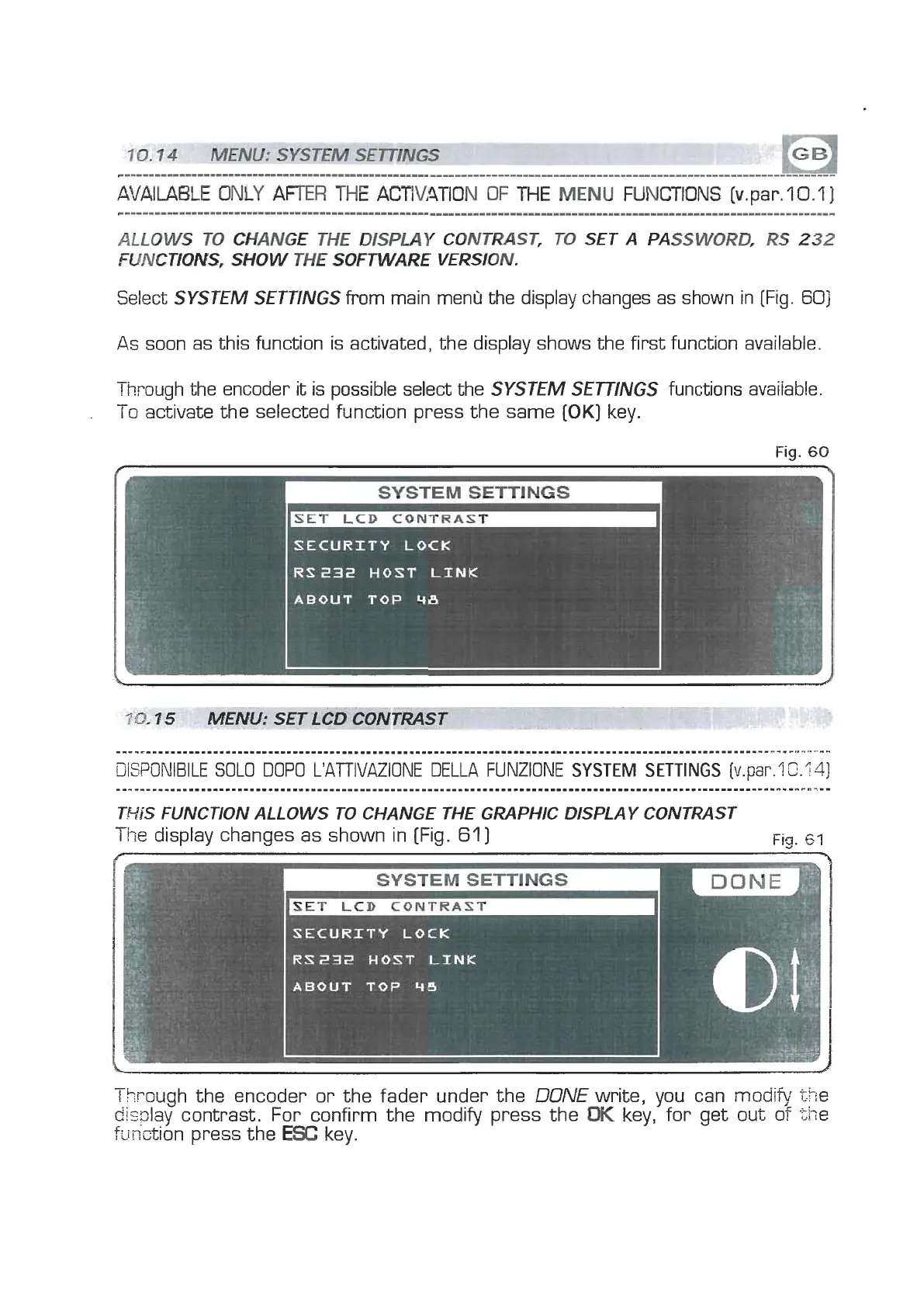
Select
SYSTEM SETTINGS
from main menu the display changes as shown in (Fig.
60)
As
soon as this function is activated, the display shows the first function available.
Through the encoder it is possible select the
SYSTEM SETTINGS
functions avaiiable.
-
I
o
activate the selected function press the same
[OK]
key.
Fig.
60
?Q.
7
5
MENU:
SET
LCD
CONTRAST
TRiS FUNCTION ALLOWS TO CHANGE THE GRAPHIC DISPLAY CONTRAST
The
display changes as shown in [Fig.
61
]
Fig.
GI
SECURITY
LOCK
RS23i2
HOST
LINK
ABOUT
TQP
46
7
I
hrough the encoder or the fader under the
DONE
write, you can
modify
the
disslay contrast. For confirm the modiv press the
OK
key, for get out of
5-ie
function press the
ESC
key.



 To Next Page