ZESTORE USER DATA.
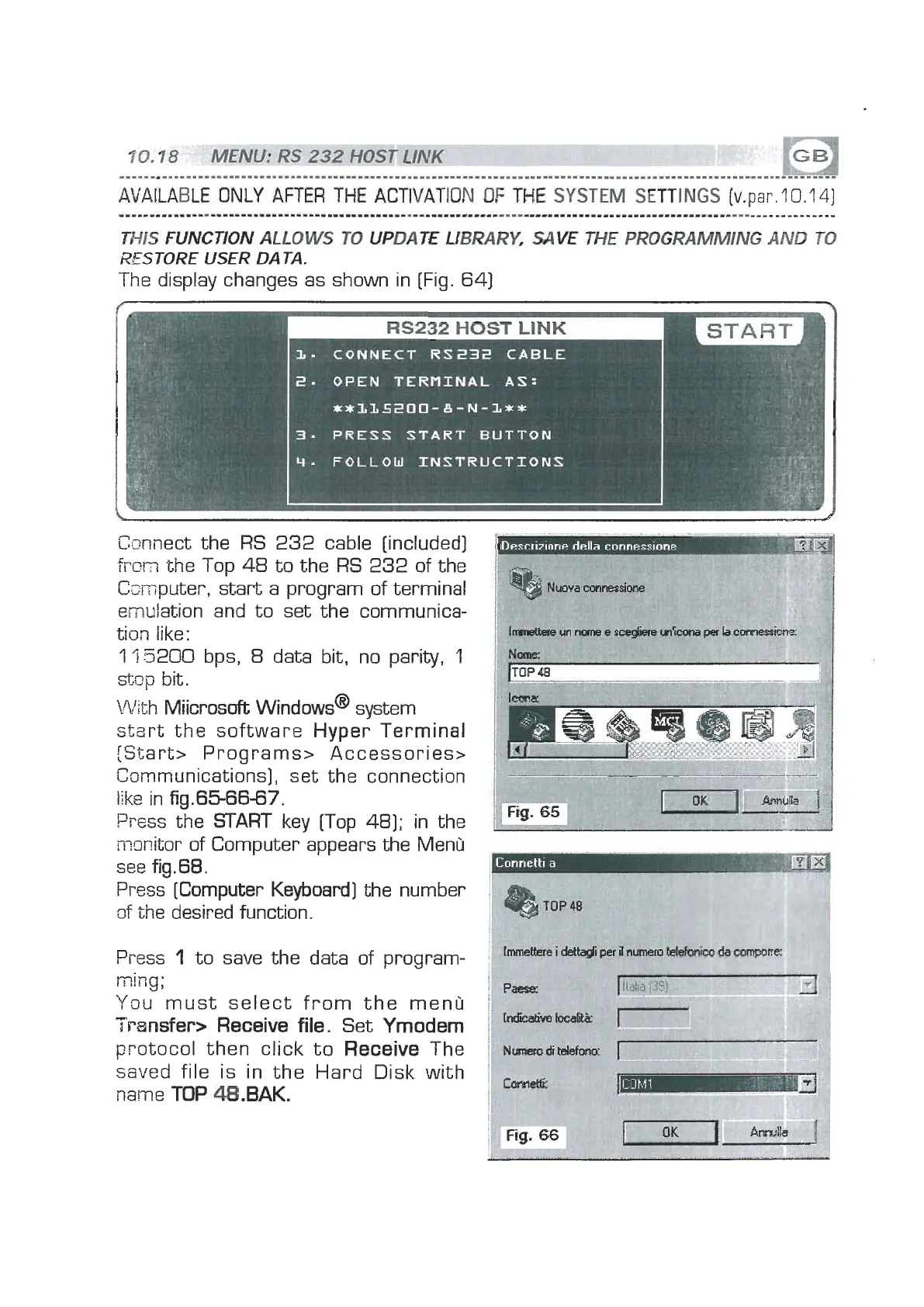
The display changes as shown in [Fig. 64)
Connect the RS 232 cable [included)
frc~
the Top
48
to the RS 232 of the
Csmputer, start a program of terminal
emulation and to set the communica-
tion like:
l'i5200 bps,
8
data bit, no parity,
1
sticp
bit.
With Miicrosoft windows@ system
start the software Hyper Terminal
[Start> Programs> Accessories>
Cummunications], set the connection
liks
in fig.6566-67.
Press the
START
key [Top 481; in the
n-mitor of Computer appears the Menu
see fig.68.
Press [Computer Keyboard] the number
zf
the desired function.
Press
1
to save the data of program-
ming;
You must select from the menu
Transfer> Receive file.
Set
Yrnodern
protocol then click to
Receive
The
swed file is in the Hard Disk with
name
TOP
48.BAK.


 To Next Page
 Loading...