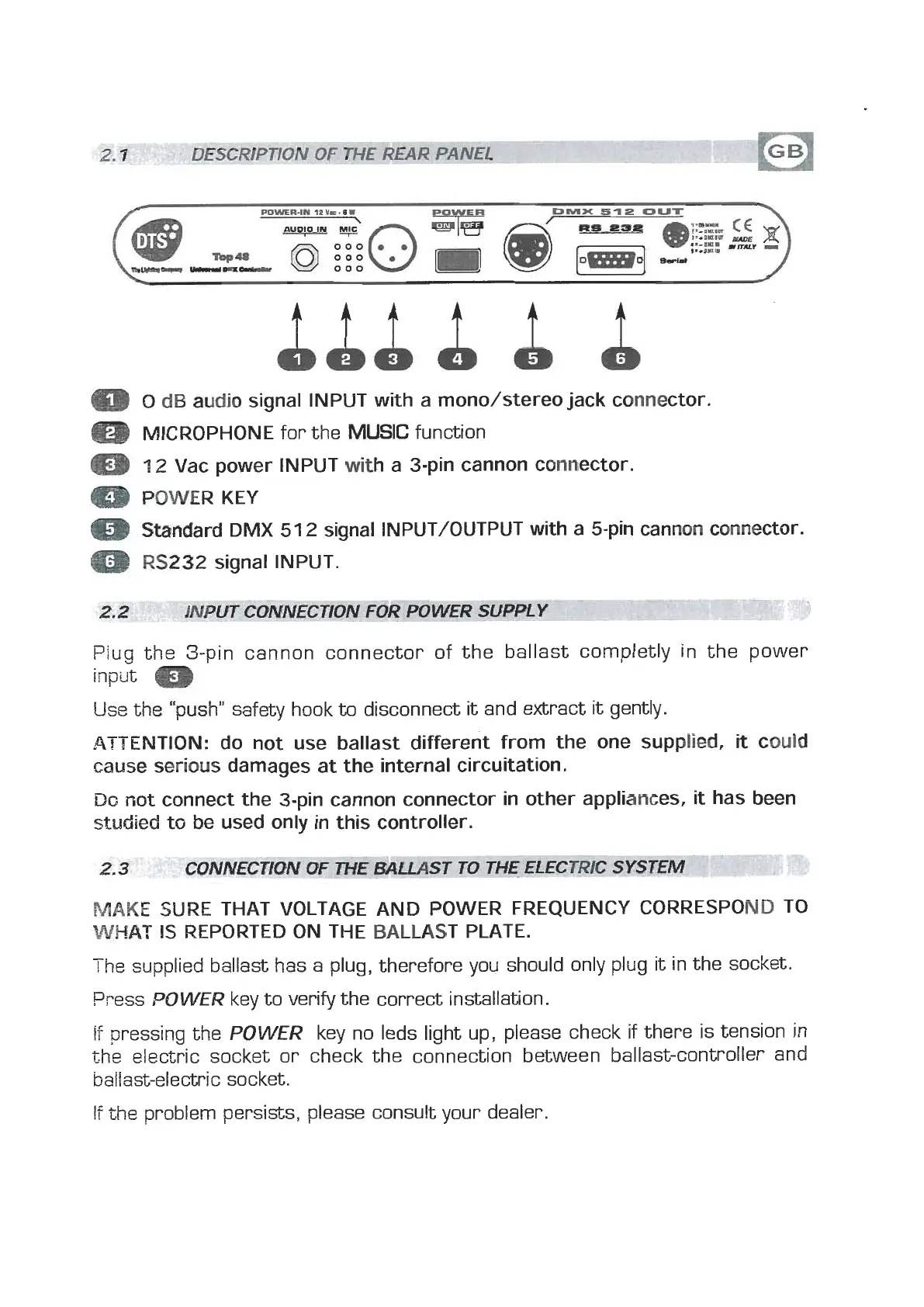
ttt
t
t
m
0
dB
arrdib
signal INPUT with a mono/stereo jack connector.
@
MICROPHONE
for the
MUSIC
function
m
12
Vac power INPUT
with
a 3-pin cannon connector.
Q
POWER KEY
m
Standard
DMX
51
2
signal INPUT/OUTPUT with
a
5-pin cannon connector.
m
RS232
signal INPUT.
UT CONNECTION FOR
---
POWER SUPPLY
--
p--
-
Plug the 3-pin cannon connector of the ballast completly in the power
input
m
Use
the "push" safety hook
to
disconnect
it
and extract
it
gently.
ATTENTION: do not use ballast different from the one supplied,
it
could
cause serious damages at the internal circuitation.
Do
not connect the 3-pin cannon connector in other appliances,
it
has been
studied
to
be
used only in this controller.
MAKE
SURE THAT VOLTAGE AND POWER FREQUENCY CORRESPOND TO
WHAT
IS
REPORTED ON THE BALLAST PLATE.
The
supplied ballast has a plug, therefore you should only plug it in the socket.
Press
,DOWER
key to verify the correct installation.
if
pressing the
POWER
key no leds light up, please check
if
there is tension in
the
eleczric socket or check the connection between ballast-controller and
ballast-electric socket.
If
the
problem persists, please consult your dealer.



 To Next Page