MENU ENTER
TEST MODE
Full test and single function test.
Up-Down
12
Up-Down
MENU
ENTER
DEFAULT
To restore default setting
ENTER
Up-Down
MENU ENTER
Fan control
To control the fan speed .
Up-Down
ENTER
Up-Down
(DEFAULT : 12 )
MENU ENTER
Up-Down
ENTER
ENTER
Up-Down
(DEFAULT : 2 )
SPEED control
Pan Tilt Speed control.
8- DISPLAY FUNCTIONS
PAN
TILT
DIMMER
SHUTTER
GOBO SHAKE
GOBO
GOBO ROT.
EFFECTS
EFFECTS ROT.
COLOR
FOCUS
ZOOM
ENTER
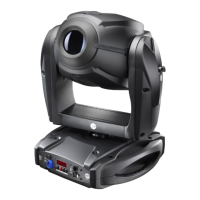
XR 8 SPOT
FROST
MENU
ENTER
AUTOMATIC MODE
Automatic game without DMX
controller
ENTER
Up-Down
Up-Down
Up-Down
ENTER
MENU
Up-Down
ENTER
Pcb 8 motors. Pcb PAN&TILT
MENU
Up-Down
ENTER
GOBO Rotation
Gobo Rotation during gobo scrolling
Up-Down
GOBO ROTATION DISABLE
GOBO ROTATION ENABLE
.
ENTER
ENTER
MENU
Up-Down
ENTER
FOCUS
Focus stepper motor settings
Up-Down
FOCUS STEPPER MOTOR TYPE 1
FOCUS STEPPER MOTOR TYPE 2
ENTER
ENTER
ALL
SOFTWARE
Software version
MENU
Up-Down
RESET
Al motors reset
RESET ENABLED VIA DMX
RESET DISABLED VIA DMX
TOTAL RESET
ENTER
ENTER
ENTER
ENTER
Up-Down

 To Next Page
 Loading...