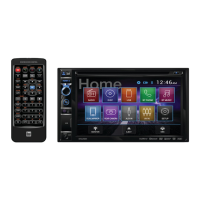
The DV625BH is a DVD Multimedia Receiver with Bluetooth® featuring a 6.2" Touch Screen Display. This in-dash unit is designed for vehicle use, providing audio and video entertainment, communication features, and connectivity options for various devices.
Function Description:
The DV625BH serves as a central multimedia hub for a vehicle. It supports playback of DVDs, CDs, and USB devices, offering a wide range of audio and video formats. Integrated Bluetooth® technology enables hands-free phone calls and wireless music streaming from compatible devices. The unit also features DualMirror™ technology, allowing users to mirror the screen of select Android smartphones, iPhones, iPods, and iPads onto the receiver's display, and to charge mobile devices via the rear USB port. Additional inputs include AM/FM/RDS tuner, auxiliary input, and a rear camera input for enhanced safety and convenience. The touch screen interface provides intuitive control over all functions, complemented by physical buttons and a remote control.
Important Technical Specifications:
Disc:
- Frequency response: 20Hz-20kHz
- Channel separation @ 1kHz: >80dB
- D/A converter: 24 Bit
FM Tuner:
- Tuning range: 87.5MHz-107.9MHz
- Usable sensitivity: 10dBf
- 50dB quieting sensitivity: 20dBf
- Stereo separation @ 1kHz: 38dB
- Frequency response: 30Hz-13kHz
AM Tuner:
- Tuning range: 530kHz-1710kHz
- Usable sensitivity: 24uV
- Frequency response: 30Hz-2.3kHz
Front USB:
- Compatibility: High Speed USB 2.0
- USB Class: Mass storage class
Rear USB (charging only):
Monitor:
- Panel size: 6.2" diagonal measurement
- View angle (up/down/left/right): 50/70/70/70
- Resolution: 800 (H) x 480 (V)
- Brightness (cd/m2): 250
- Contrast ratio: 500:1
- Pixels: 1,152,000
General:
- Speaker output impedance: 4 ohms
- Line output voltage: 4 volt RMS
- Line output impedance: 200 ohms
- Chassis dimensions: 7" x 7" x 2" (W x D x H)
- File System: FAT16/FAT32
- File Extension: .mp3/.MP3/.Mp3/.mP3, .wma/.WMA
- MPEG Format: MPEG 1, MPEG 2, MPEG 2.5
- Sampling Frequency: 32/44.1/48kHz (MPEG 1), 12/16/22.05/24kHz (MPEG 2), 8/11.025/12kHz (MPEG 2.5), 32/44.1/48kHz (WMA)
- Bitrate: 32-320kbps (MPEG 1), 8-160kbps (MPEG 2/2.5), 32-192kbps (WMA)
- Directory Depth: Unlimited
- File Name Length: 32 bytes
- Total File Number: 2000 files
- Total Folder Number: 200 folders
- File Number via Folder: 2000 files
- MP3 ID3 TAG: ver.1.x, ver.2.x
- WMA TAG: Title, Artist, Album, Title, Artist
- Compatible Disc Types: CD-DA, CD-ROM (ISO), CD-R, CD-RW, DVD Video, DVD+R/RW, DVD-R/RW
- Compatible Video Formats: AVI, Mpeg2, Mpeg4, DivX/Xvid (Max video resolution: 720x480, Max video bit rate: 5000 kbps)
- SD/USB format type: FAT32/FAT
- Incompatible Disc/File Types: WMA files protected by DRM, WMA lossless format, discs recorded with Track At Once or packet writing, MP3 PRO format, MP3 playlists, RMP format, WAV format, WMV format, AAC, protected AAC, M4A format.
- ISO9660 standards: Maximum nested folder depth is 8, valid characters for folder/file names are A-Z (all caps), 0-9, and "_". Supports Joliet and other standards conforming to IS09660.
- Recommended settings for ripping MP3 files: 128kbps or higher constant bit rate, 44.1kHz or higher sampling frequency.
- Recommended settings for ripping WMA files: 64kbps or higher constant bit rate, 44.1kHz or higher sampling frequency.
Usage Features:
- Power On/Off: Momentarily press the power button to turn the unit on or off.
- Volume Control: Rotate the volume knob to increase or decrease the volume level.
- Mute Function: Momentarily press MUTE to silence audio; press again to restore. Rotating the volume knob also cancels mute.
- Mode Selection: Press MODE to cycle through input modes: Radio, Disc (DVD/CD), USB, Bluetooth Phone, Bluetooth Music, DualMirror, Camera, Auxiliary Input, and AV In. USB mode appears only when a USB drive is connected.
- Main Menu Access: From any operational mode, press the house icon in the top left corner to access the Main Menu screen.
- Auxiliary Input: Connect external audio/video devices to the 3.5mm auxiliary input on the front panel.
- USB Port: Connect a USB device to the front panel USB port for MP3/WMA files, AVI/MP4 video files, or JPG photos.
- Setup Menu: Access general settings, time, video, language, illumination, and calibration options from the Main Menu.
- Radio Operation: Select the Radio icon from the Main Menu. Tune frequencies up/down, access preset stations (up to 18 FM and 12 AM), and adjust audio options (EQ, Fader/Balance, Subwoofer/Loudness, ASP). Supports RDS features like Program Type (PTY), Traffic Announcements (TA), and Alternative Frequencies (AF).
- CD/USB Operation: Insert a disc or USB device for automatic playback. Navigate files and folders, select repeat options (Repeat 1, Repeat Folder, Repeat Off), and enable/disable random playback.
- DVD Operation: Insert a disc for automatic playback. Access direct title/chapter selection, DVD menu, and additional options like subtitles, language, and angle. Supports fast reverse/forward at various speeds (FRx2, FRx4, FRx8, FRx20).
- DualMirror™ Operation: Mirror smartphone screens (Android, iPhone, iPod, iPad) via rear HDMI and USB inputs. Requires specific cables (sold separately: SL55A, SL113A, SL115A for Android; DL5i for iOS). Rear USB port is for charging only.
- Bluetooth® Operation: Pair devices using "Dual BT" and passcode "1234". Supports auto-connect. Features hands-free calling with keypad, redial, talk, backspace, and end call functions. View call logs (dialed, received, missed) and contacts. Stream music from paired devices.
- Rear Camera Input: Connect an optional rear camera to the Camera Input (Black RCA connector). Manual selection via CAMERA icon or automatic selection when connected to reverse lamp circuitry.
- Steering Wheel Controls: Set up steering wheel controls using the included insert.
Maintenance Features:
- Cleaning the Monitor: Wipe with a dry silicone cloth or soft cloth. Avoid stiff cloths or volatile solvents like paint thinner and alcohol, as they can scratch the surface or remove printing.
- Fuse Replacement: When replacing a fuse, use only a new one with the prescribed rating (15 amp ATM mini style fuse). Disconnect the wiring harness first to prevent short circuits.
- Reset Function: To resolve abnormal operation or if the unit is inoperable, use the tip of a pen to press the RESET button (located in the bottom left corner). This will reset the main processor to default settings.
- Battery Replacement (Remote Control): The remote control uses one 3 volt Lithium CR2025 battery. Remove the battery if the remote will not be used for a month or longer. Dispose of batteries properly.
- Troubleshooting Guide: The manual includes a troubleshooting guide for common issues such as no power, no sound, fuse blowing, no video, DVD not playing, and remote control malfunction.
- Warranty: The unit comes with a one-year limited warranty from the date of original purchase, covering defects in material and workmanship. Service requires the original sales receipt.


 To Next Page
 General