06
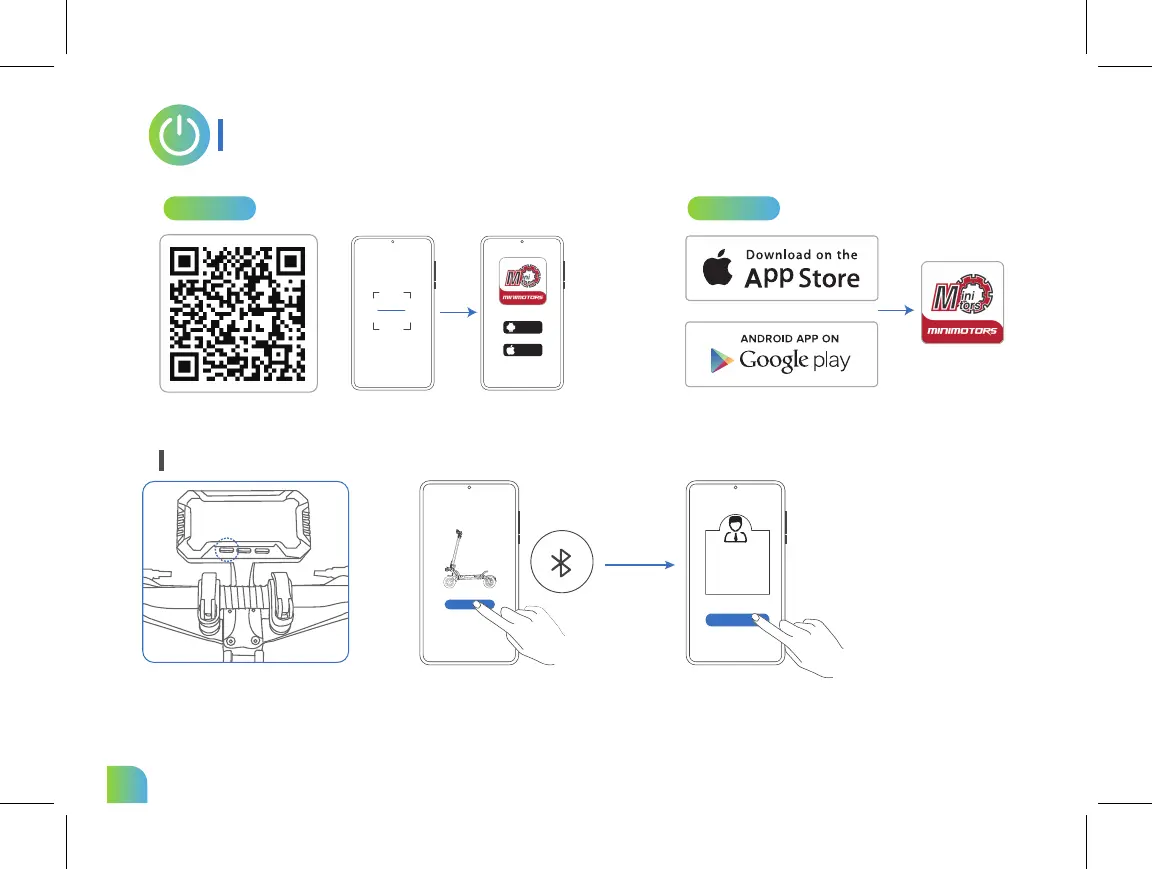
Bluetooth Connection
APP Download Guide
1.Scan the QR code to download the APP.
Power on the scooter.
1.Search "DUALTRON" in the application and download it,
and register / log in.
2.Choose the mobile phone system that suits you to install,and register / log in.
Dualtron
sure
Android
iphone
Click “Search vehicle” and pair with
your scooter. * The scooter is
connected to the Dualtron app when
the Bluetooth symbol lights up.
Search vehicle
Select bind as owner
Pair the Bluetooth on the APP
Method 1 Method 2



 To Next Page