20 www.ducane.com
ANNUAL MAINTENANCE
Inspection and Cleaning of the Spider/Insect Screens
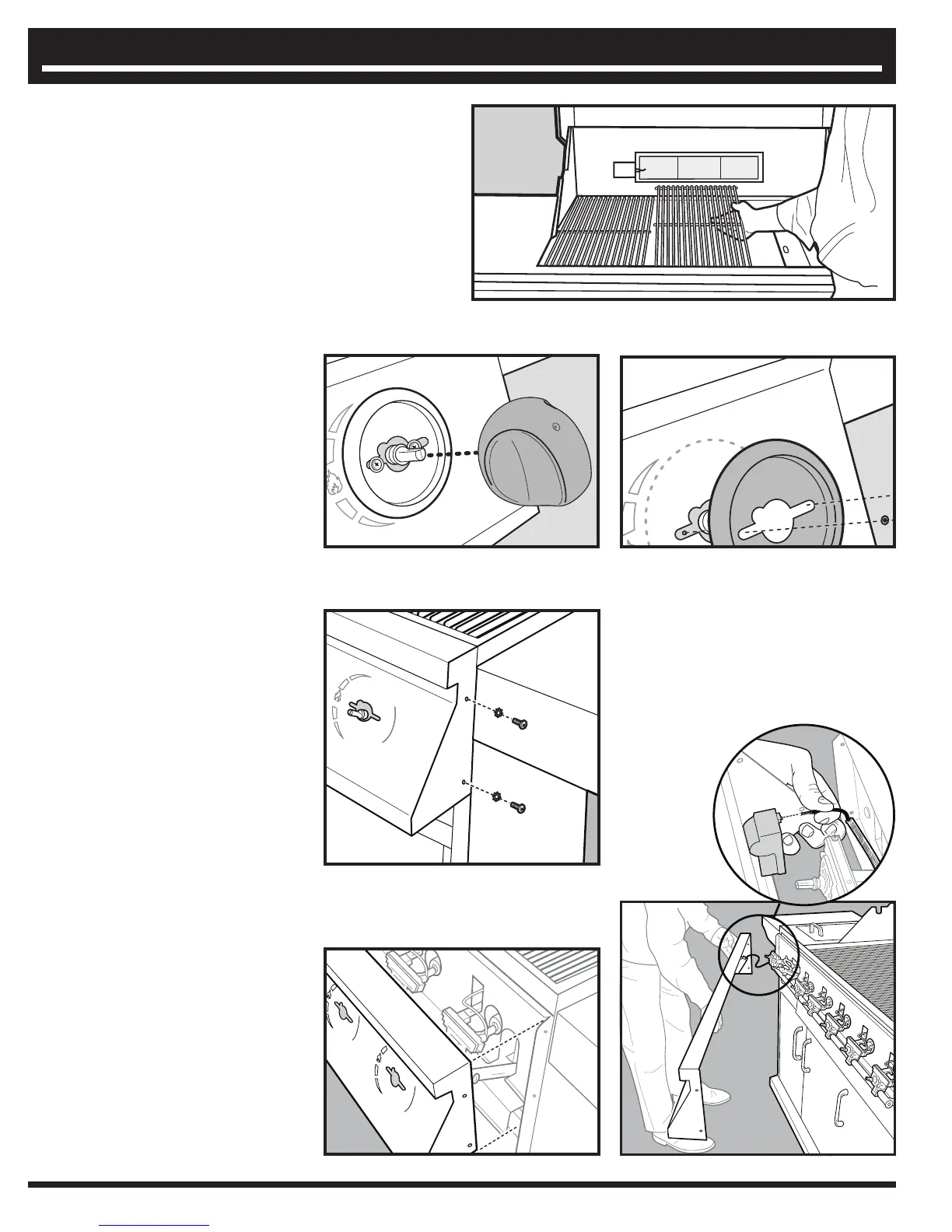
To inspect the Spider/Insect screens.
1. Turn “OFF” gas at source.
2. Remove the cooking grate and the heat distribution plates, exposing the burner
tubes.
3. Remove the two(2) screws and washers holding each
valve to the control panel and control knob bezel.
4. Loosen the control panel by removing two (2) screws
on each end.
5. Pull control panel away from grill a few inches.
Disconnect wire from the electronic igniter for the
rotisserie burner.



 To Next Page