Need help?
Do you have a question about the Dune HD TV-102W and is the answer not in the manual?
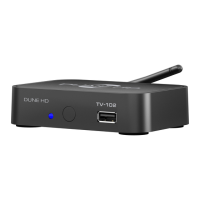
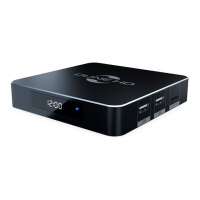
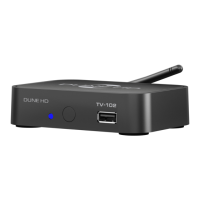
The main media player device included in the package.
Device for operating the media player; batteries may not be included.
External antenna for Wi-Fi network connectivity.
Component to extend the infrared signal reception range.
Cable for composite video and stereo audio output.
Power adapter for the media player.
This document providing initial setup instructions.
Description of components on the front panel: LED indicator, IR eye, USB host.
Ports and connections on the rear panel for non-tuner models.
Ports and connections on the rear panel for tuner-equipped models.
Instructions for connecting and recognizing USB storage devices.
How to connect to network drives via SMB or NFS protocols.
Steps for formatting an attached Hard Disk Drive or partition.
Explanation of standby modes (hardware/software) and complete power off.
Accessing player storage devices from the local network.
Information on connecting the player to a network via Wi-Fi.
Discusses potential compatibility issues with hardware and media content.
Guides on firmware updates and finding additional documentation.
 General
| RAM | 256MB |
|---|---|
| Flash Memory | 128MB |
| Supported Video Codecs | MPEG2, MPEG4, XVID, WMV9, VC1, H.264 |
| Supported Image Formats | JPEG, PNG, BMP, GIF |
| Video Output | HDMI 1.3 |
| Audio Output | HDMI |
| Network Connectivity | Wi-Fi 802.11b/g/n, 10/100 Ethernet |
| Storage | USB 2.0 |
| Supported Video File Formats | MKV, AVI, MP4, MOV, TS, M2TS, VOB, ISO |
| Supported Audio Codecs | MP3, WMA, AAC, FLAC, WAV, OGG, AC3, DTS |
| Supported Audio File Formats | MP3, MPA, M4A, WMA, FLAC, Ogg Vorbis, WAV, AAC, AC3, DTS |

 To Next Page