4
4.3 Fine correction of the second
After setting the time (see point 4.2) or, after a certain period of
time, the watch may show a certain variation in time; it is possible
to reset the watch precisely to the second.
Proceed as follows:
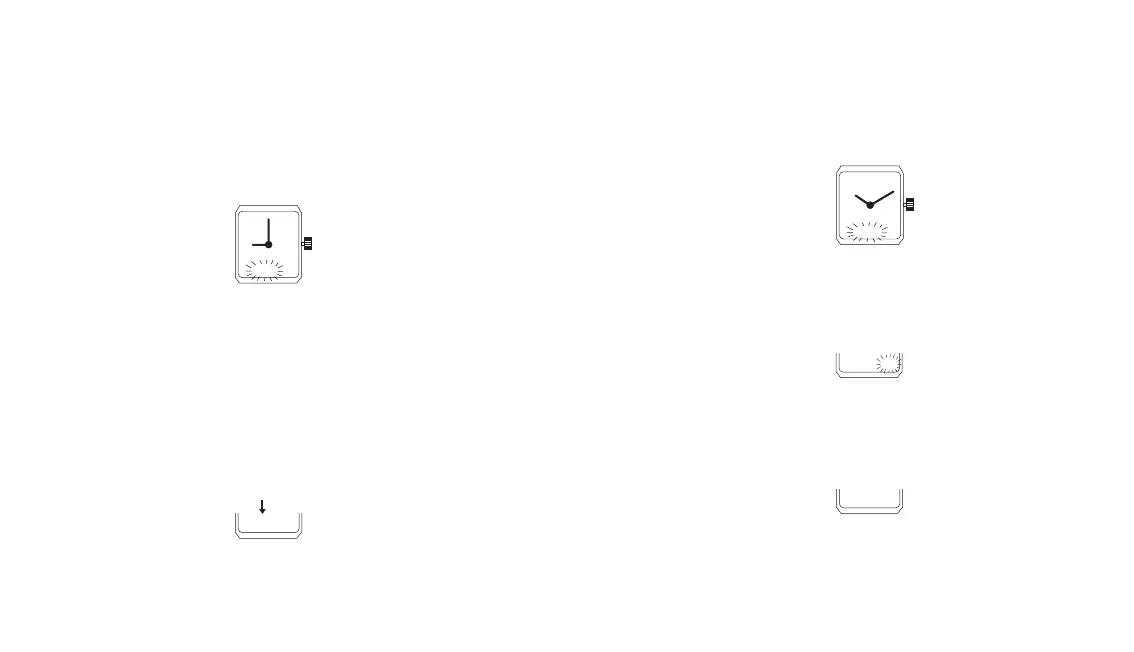
- Select and display the local time
- Pull the crown out.
The hours and minutes numerals flash
- Push the crown back in
The seconds numerals flash for one minute.
- While the numerals are flashing:
- Press on the crown in synchronisation with the time signal or in
synchronisation with the passage of an entire minute of a
reference clock. The numerals indicate the seconds brought
back to zero.
- Check if the minutes display corresponds to the minutes of the
exact time. Correct, if needed, by advancing or retarding the
minutes by a unit (see point 4.2)
For changing the displayed mode:
- Press 2 times on the crown.
4.2 Setting the watch to time
- Set the watch to the 24 hour display (see point 4.1)
- Select and display the local time.
- Pull the crown out.
The flashing numerals indicate the hours and the minutes.
- Set the watch to time by turning the crown backwards or
forwards (a rapid rotation causes the hands to advance or
retard each time by one full hour)
- Push the crown back in.
- Come back, if desired, to the 2 times 12 hours’ display mode
(see point 4.1)
In this case a small letter P appears between mid-day and
midnight at the side of the numerals indicating the hours.
21.00 35
9 00 35
22. I0 I 5
22. I0 20
22. I0 00
T


 To Next Page
 Loading...