FEATURES
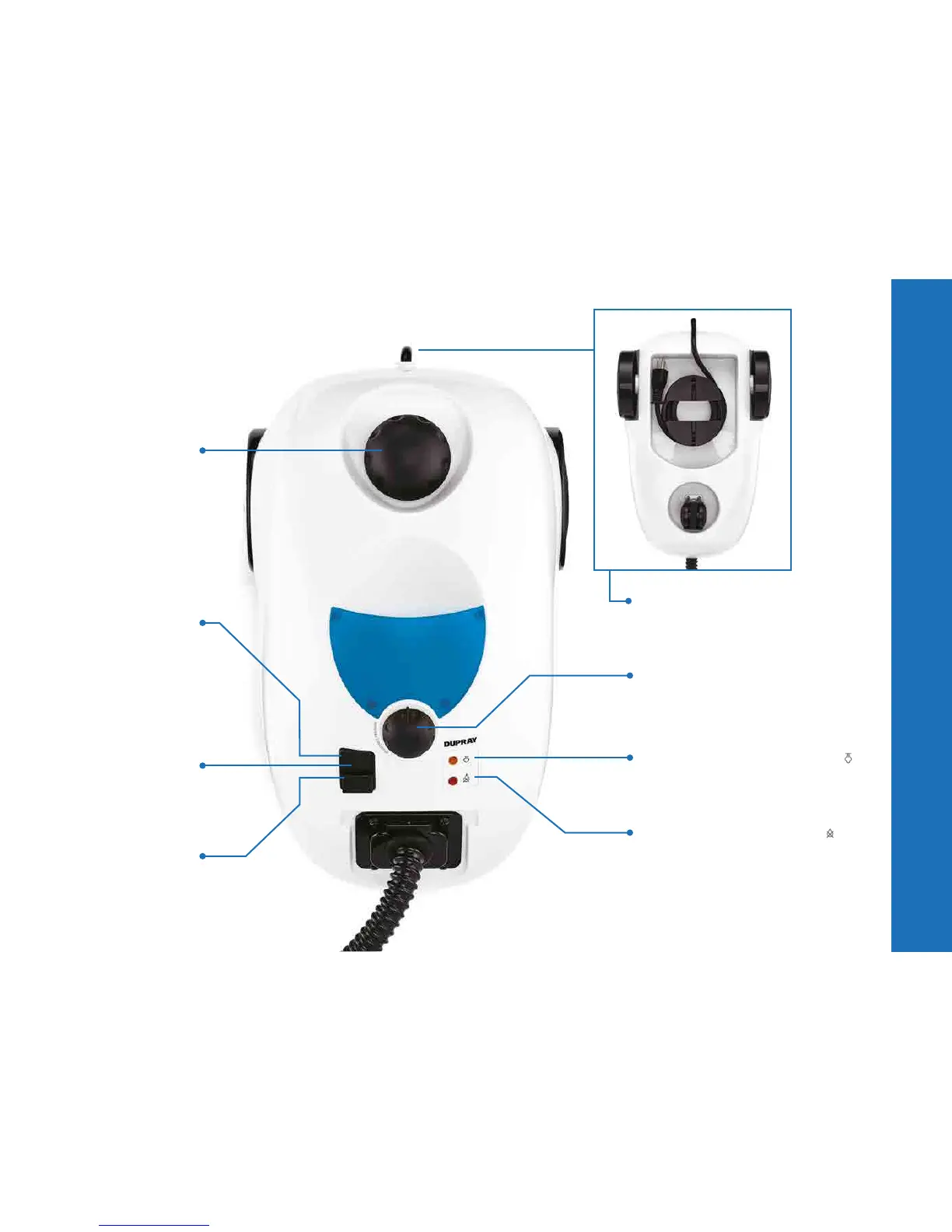
4 ELECTRICAL CORD
5 VARIABLE PRESSURE CONTROL
Select the steam pressure from
minimum ( le ) to maximum ( right ).
6 STEAMREADY
TM
INDICATOR
Lets you know when the steam cleaner
is operating at optimal pressure
and ready to use.
7 LOW WATER INDICATOR
This red warning light signals that the
water needs to be refilled. If you wish to
continue steam cleaning, see the “Refilling
with water” instructions on page 8.
1 BOILER CAP
2 POWER BUTTON
Activates the heating
of the water inside
the boiler and starts
the production of steam.
3 POWER
INDICATOR
OFF BUTTON
6


 To Next Page