Inch = mm x 0,0254 # 8944 | 07.24 | 1312 | 07.24 | # 8944 Inch = mm x 0,0254
US
Safety instructions
2
x
1
x
1
x
1
x
1
x
1
x
1
x
SW 2
4,5 x 35mm
4 x 25mm
U6 x 30mmM4 x 10mm
SW 3
1
x
3
x
3
x
3
x
3
x
01
click
2.
1.
SW 2
4.
LOCK
3.
07
ABS
07
ABS
07
ABS
07
ABS
07
ABS
40
FE
40
FE
40
FE
40
FE
40
FE
40
FE
40
FE
For your safety
Observe and follow all usage information when
using the product. Store the usage information for
later availability if required.
Intended use
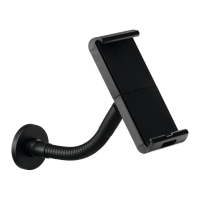
The TABLET HOLDER is a holder for tablet PCs
with a maximum thickness of 8 mm. It is intended
for use in dry indoor areas. The TABLET HOLDER
is designed for mounting to solid walls or on
solid wooden table tops with a minimum material
thickness of 25 mm. Any other use is considered
improper and will result in exclusion of liability.
Definition of symbols
This combination of symbol and signal word indi
-
cates a hazardous situation which, if not avoided,
may result in minor or serious injuries.
This signal word indicates information that is not
relevant to safety, such as material and environ
-
mental damage.
This symbol indicates useful tips and recommen
-
dations as well as information for efficient and
smooth operation.
Fundamental safety instructions
∙ Always follow the applicable national and
international safety, health and work regulations.
∙ Before drilling, check whether there are power
lines or water pipes in the wall.
∙ The enclosed fixing material is designed for
solid stone or concrete walls. For different wall
materials, select suitable fixing material.
∙ The enclosed fixing material is designed for solid
wooden tables with a tabletop thickness of at
least 25 mm. For different tabletop thickness or
material, select suitable fixing material.
Use
Risk of material damage due to incorrect use.
∙ If incorrectly positioned, the tablet may drop and
be damaged.
∙ Make sure that the tablet is no thicker than
8 mm and is fastened in the holder on both sides.
∙ Use the optional anti-theft device to prevent the
holder from being opened unauthorizedly.
∙ Always lay the cables in the designated cable
guides without tension.
∙ Before each use, check that the TABLET
HOLDER is in perfect condition.
Replace defective parts.
∙ Do not turn moving parts of the TABLET HOLDER
against the resistance in the swivel joint.
∙ When repositioning the TABLET HOLDER,
remove the tablet from the holder in advance.
∙ Make sure that children do not play with the
product.
Cleaning
Risk of material damage due to moisture.
∙ Water or cleaning agents, upon contact with the
tablet or cable, may cause a short circuit.
∙ Before cleaning, disconnect the tablet from the
mains voltage.
∙ Clean the product with a damp cloth without
bringing the tablet into contact with moisture.
Danger of material damage.
∙ Aggressive cleaning agents or sharp objects can
damage the surfaces.
∙ Do not use any sharp objects, abrasive or
aggressive cleaning agents or solvents.
∙ Clean the product with a soft cloth.
Disposal
Danger to the environment due to improper
disposal.
∙ Separate the installed materials after disassembly.
∙ Dispose of the product in accordance with local
disposal regulations.


 To Next Page
 Loading...