EasyManua.ls Logo

Durablow Smart Home Series - User Manual

Default Icon
36 pages
Print Icon
To Next Page IconTo Next Page
Loading...
Durablow
®
Smart Home Series -
SH3002 / SH3002-RH *BLUEtooth + Wi-Fi 2.4G
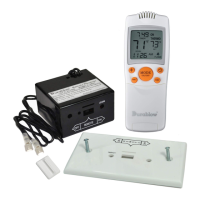
Fireplace Remote Control
®
Supported Control
+ Smart Life APP
+ Amazon Alexa
+ Google Assistant
+ Apple SIRI
V202205 - SH3002
Question and Answer IconNeed help?

Do you have a question about the Durablow Smart Home Series and is the answer not in the manual?

Summary

Smart Life App Setup and Account Management

Device Setup and Wi-Fi Pairing

Add Device and Press Button

Steps to add the device in the Smart Life app and select the correct type.

Pairing Method 1: Auto Scan

Step-by-step guide for pairing the device using the Auto Scan method.

Pairing Method 2: EZ Mode

Step-by-step guide for pairing the device using the EZ mode.

Pairing Method 3: AP Mode

Step-by-step guide for pairing the device using the AP mode.

Pairing Method 4: Bluetooth Mode

Step-by-step guide for pairing the device using Bluetooth mode.

Troubleshooting and Check List

Packing List and Installation Guide

Wiring for Millivolt Valve

Wiring the controller box to a millivolt gas valve system.

Wiring for Dexen IPI Module

Wiring the controller box for Dexen IPI module and millivolt valve setups.

Durablow Smart Home Series Specifications

General IconGeneral
BrandDurablow
ModelSmart Home Series
CategoryRemote Control
LanguageEnglish

Related product manuals