EasyManua.ls Logo

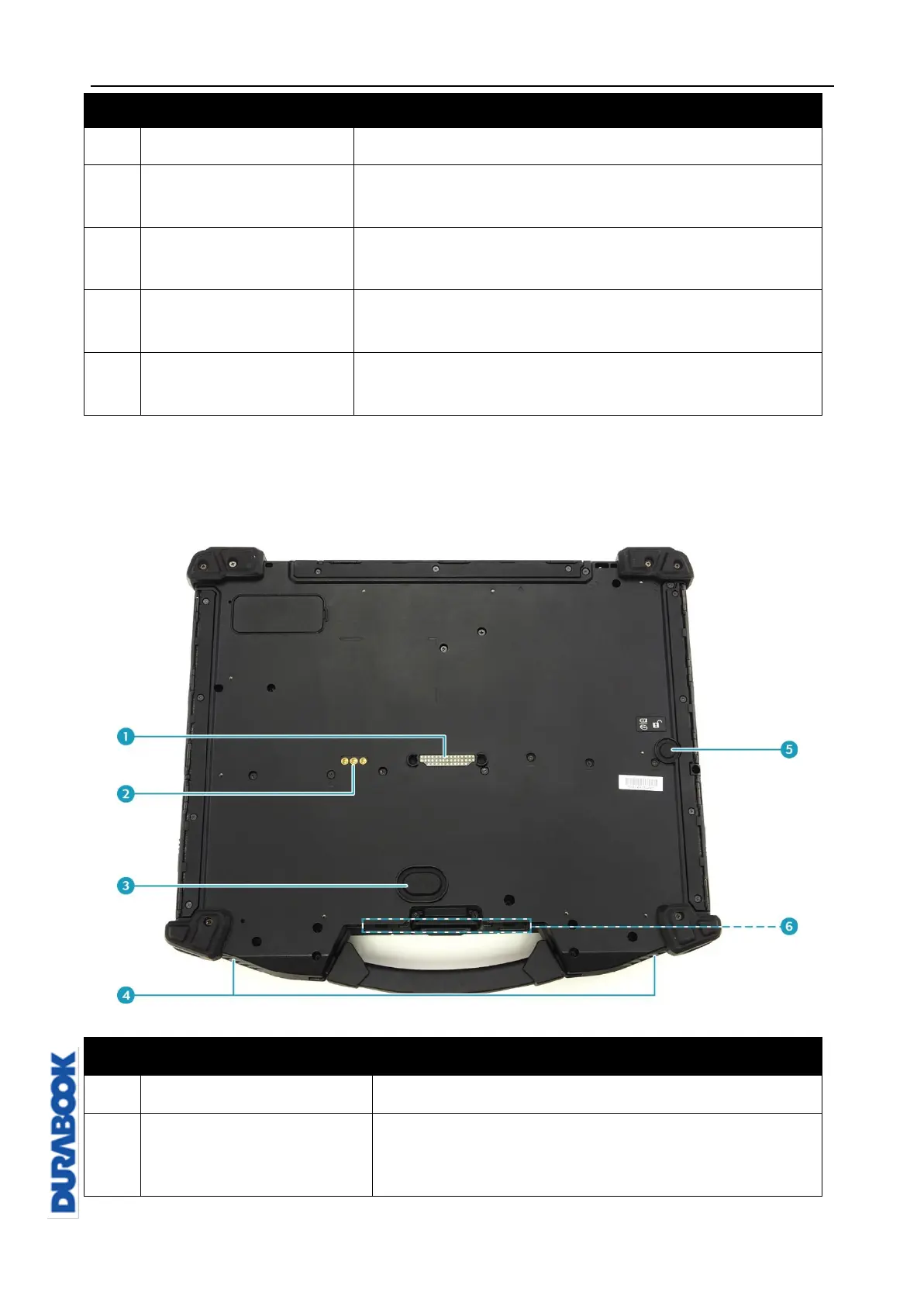
Durabook Z14I - Back View Overview

Durabook Z14I
98 pages
Print Icon
To Next Page IconTo Next Page
To Previous Page IconTo Previous Page
Loading...
Before You Start
© 2019 Twinhead International Corp and/or its affiliates. All rights reserved.
No.
Item
Description
9
Waterproof keyboard
Press the keys to input information.
10
Fingerprint scanner
(optional)
Scans fingerprints for biometric identification.
11
Touch pad
Use to point, select, drag, or scroll objects on the
screen.
12
Touch pad button
Press to select objects or display a shortcut
menu.
13
RFID reader
(optional)
Reads tags for data collections from other device.
Back View
No.
Description
1
Connects the notebook to a docking station.
2
Use for the external antenna of WWAN, GPS,
and WLAN.

Table of Contents

Related product manuals