IB-CDR1902(TA)-WM-E-090902
6. Listening to the radio
Connect the supplied AC power cord (see Setting the Clock).
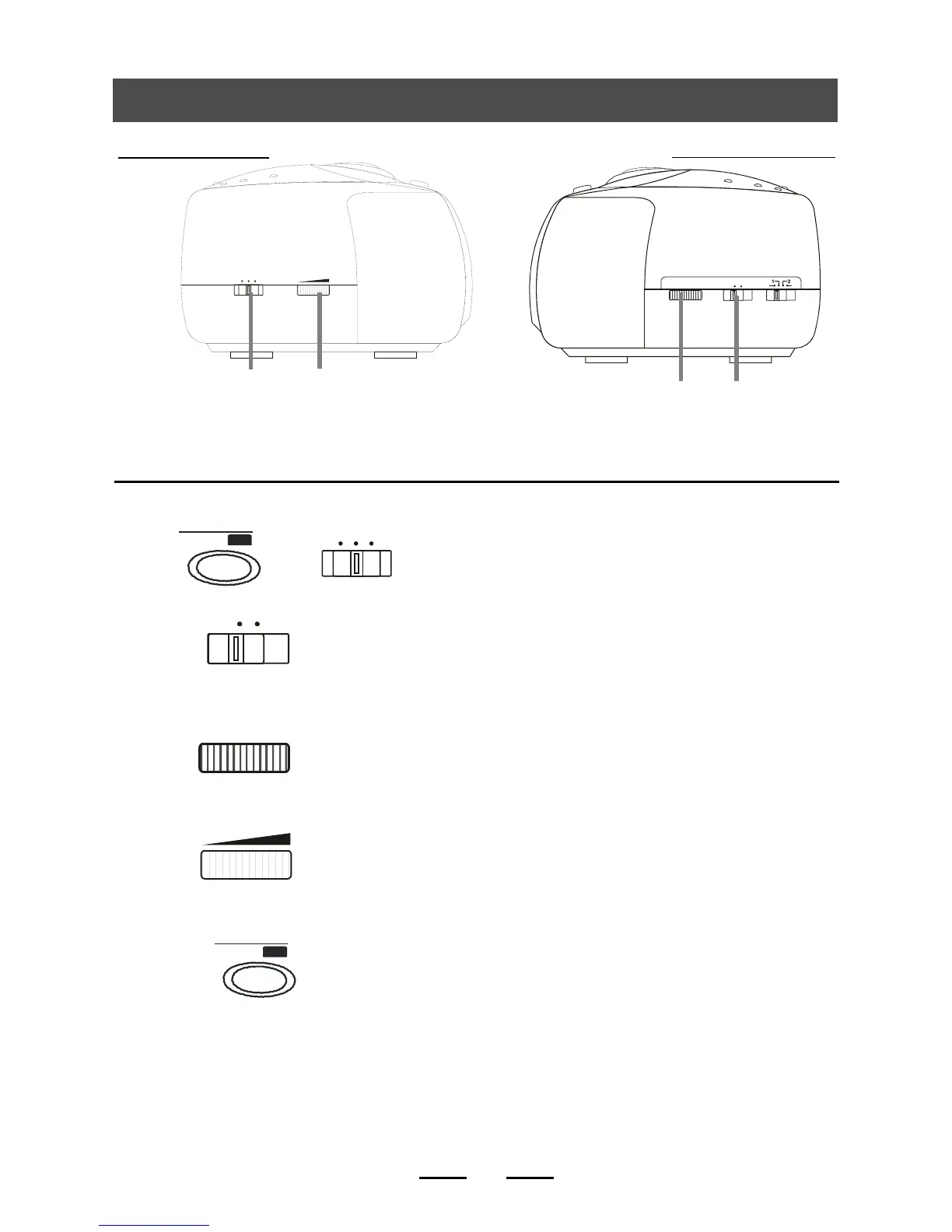
Press the POWER button to
ON and slide the FUNCTION
switch to RADIO position.
1
2
3
Slide the BAND switch to the proper
band position that you want.
Tune into the station you prefer using
the TUNING CONTROL. Adjust for the
clearest sound.
VOLUME
CONTROL
FUNCTION
SWITCH
BAND
SWITCH
TUNING
CONTROL
Adjust the VOLUME CONTROL for
desired loudness.
Press the POWER button to turn off the
power and the Radio, the POWER lamp
will go off.
4
5
8
LEFT SIDE VIEW
RIGHT SIDE VIEW



 To Next Page