IB-CT995(NL)-WM-E-011004
To
Turn off the power
Press the STOP/EJECT button
and slide the FUNCTION
switch to TAPE (RADIO OFF)
position.
TIP
Press or Adjust
Stop recording
STOP/EJECT button
Pause recording
9
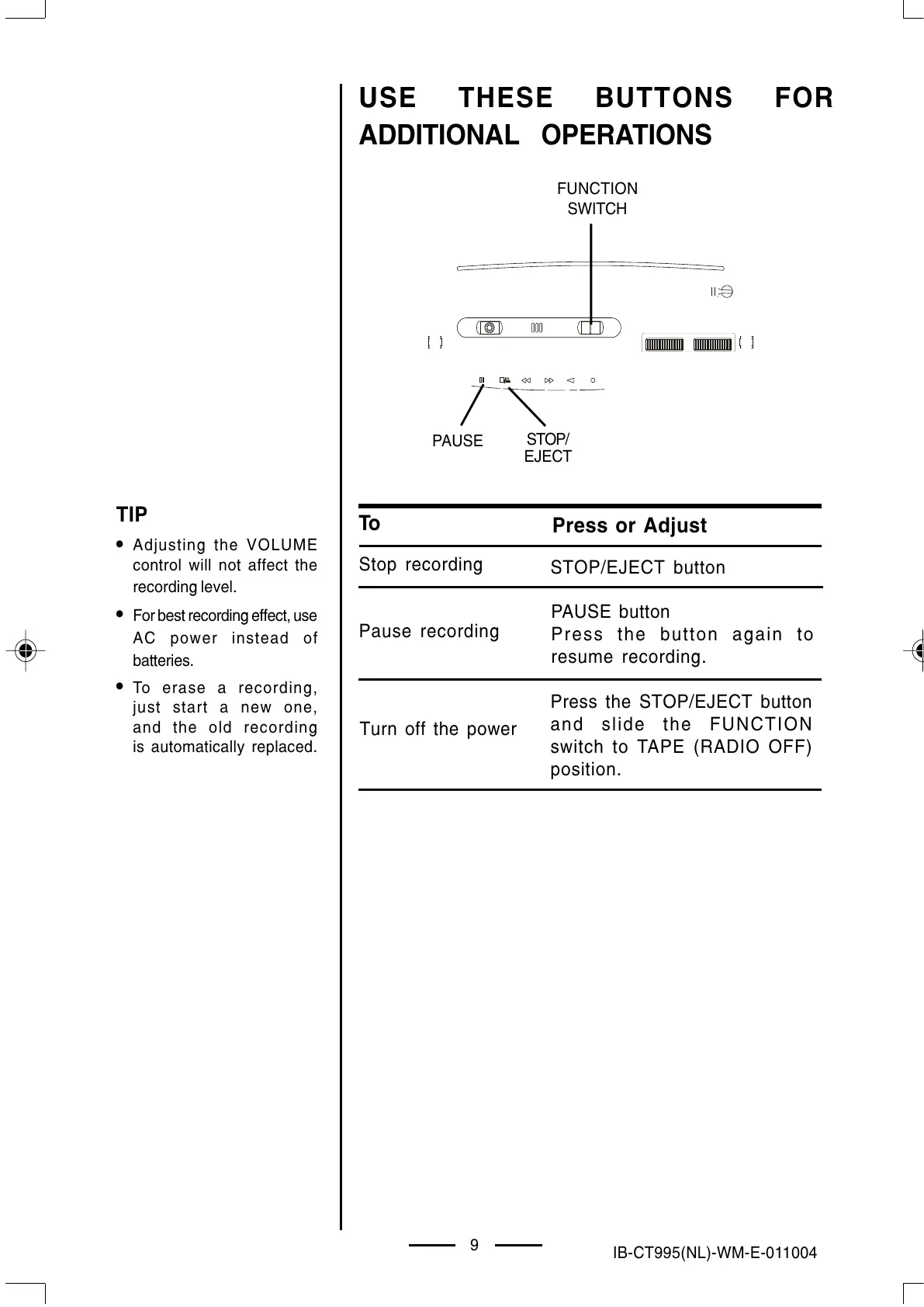
FUNCTION
SWITCH
PAUSE
STOP/
EJECT
Adjusting the VOLUME
control will not affect the
recording level.
For best recording effect, use
AC power instead of
batteries.
To erase a recording,
just start a new one,
and the old recording
is automatically replaced.
USE THESE BUTTONS FOR
ADDITIONAL OPERATIONS
PAUSE button
Press the button again to
resume recording.
IB-CT995(NL)-WM-E-011004.p65 1/9/03, 4:38 PM10


 To Next Page