
 Need help?
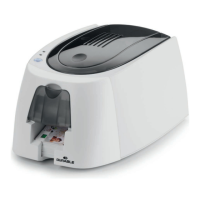
Do you have a question about the DURACARD ID 300 and is the answer not in the manual?
Guide to installing the printer driver from the CD, emphasizing administrator rights and USB connection timing.
Troubleshooting steps if the printer does not start printing, covering driver, power, USB, ribbon, and cards.
Diagnoses common print quality problems like blemishes, white lines, and blurred images.
Troubleshooting steps for partial or incorrect printing, checking settings, cable, cards, and print head.
Procedure to remove jammed cards from the printer and tips to prevent future jams.
Step-by-step guide for updating printer firmware via DURABLE Print Center or website for Windows.
Instructions for updating printer firmware on Mac systems using System Preferences and the utility.
Details on how to get technical support via website or hotline, and information to provide.
 General
| Print Technology | Dye Sublimation |
|---|---|
| Resolution | 300 dpi |
| Input Hopper Capacity | 100 cards |
| Output Hopper Capacity | 30 cards |
| Card Size | CR80 (85.6 x 54 mm) |
| Connectivity | USB |
| Power Supply | 100-240V AC, 50-60Hz |
| Operating System Compatibility | Windows 7/8/10 |

 To Next Page