FEATURES:
Soldering station designed for lead free soldering
Compact light durable design
LED display
Temperature range from 160℃ to 480℃
Fast start up from room temperature to 350℃ in 30 seconds
Including N9-1 tip
OPERATION
Before operation:
Place the soldering iron in the holder.
Then connect the plug to the receptacle on the station and turn clockwise to tighten
the plug nut.
Connect the control unit to the power socket and switch on the power.
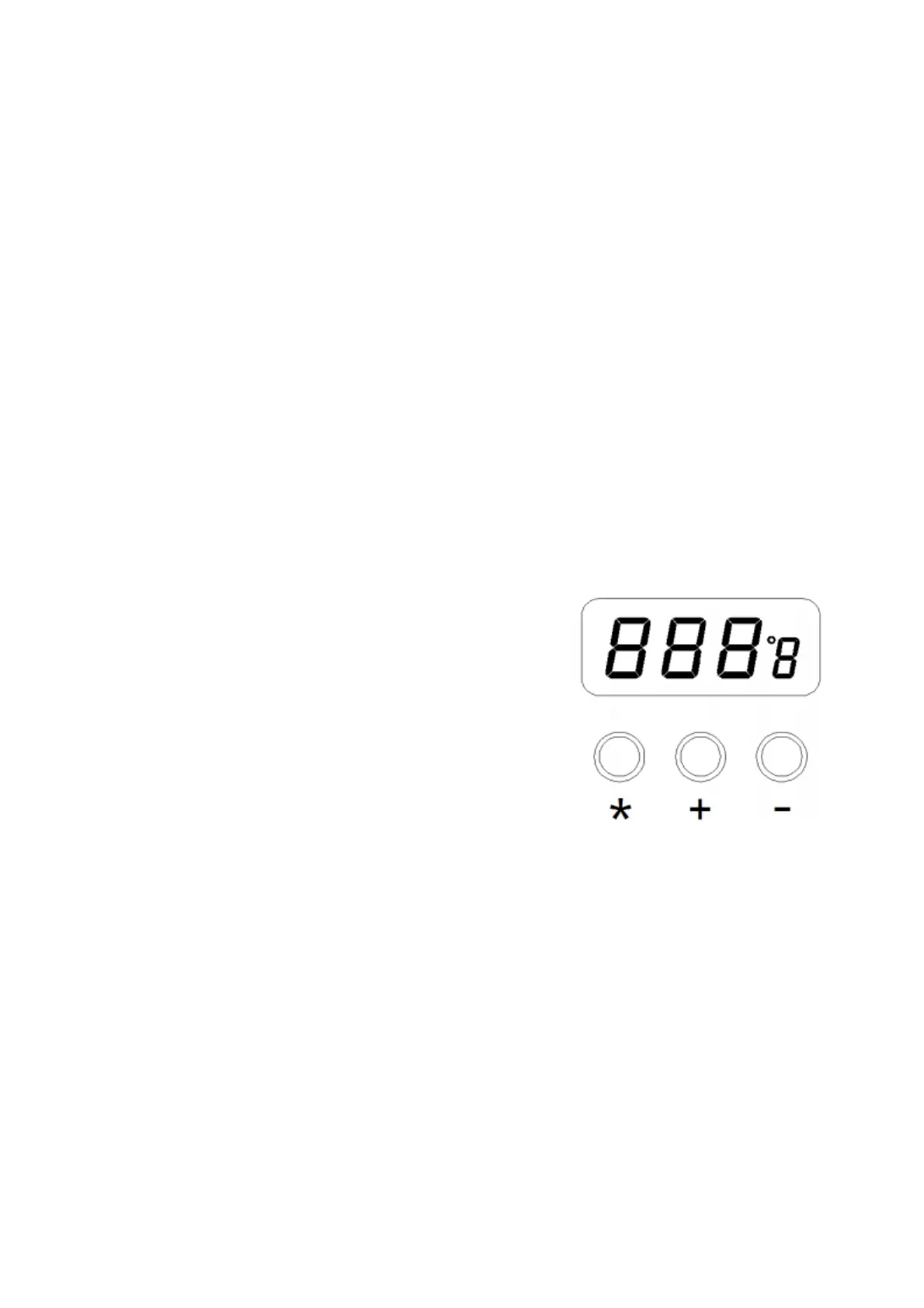
Then a self-test is carried out in which all display elements are switched on briefly.
The electronic system then switches on automatically to the set temperature and
displays this value.
DISPLAY & TEMPERATURE SETTINGS:
Press the button “+” or “-”to adjust the
temperature. Use a short press, to change the
set-point by ±1℃. Hold the button “+” or “-” down
to change the set-point quickly to reach your
target temperature.
“*” is the transfer button between ℃/ ℉ The
default unit is ℃, press the “*” button to make
change between ℃ and ℉. - Do not use this
system near the flammable items. - Advise other
people in the work area that the unit can reach a
very high temperature and should be considered
potentially dangerous. - Turn off the power switch while taking breaks and when
finishing using. - Before replacing parts or storing the system, turn off the power and
let it cool down to the room temperature.
2


 To Next Page