5
Operating Instructions
The valve has been pre-programmed with factory settings as follows:
Regeneration Cycle Step Programming
1. Backwash .....................................10 minutes
2. Brine Rinse ...................................60 minutes
3. Rapid Rinse ..................................10 minutes
4. Brine Refill ....................................08 minutes – DT30TM
10 minutes – DT40TM
10 minutes – DT45TM
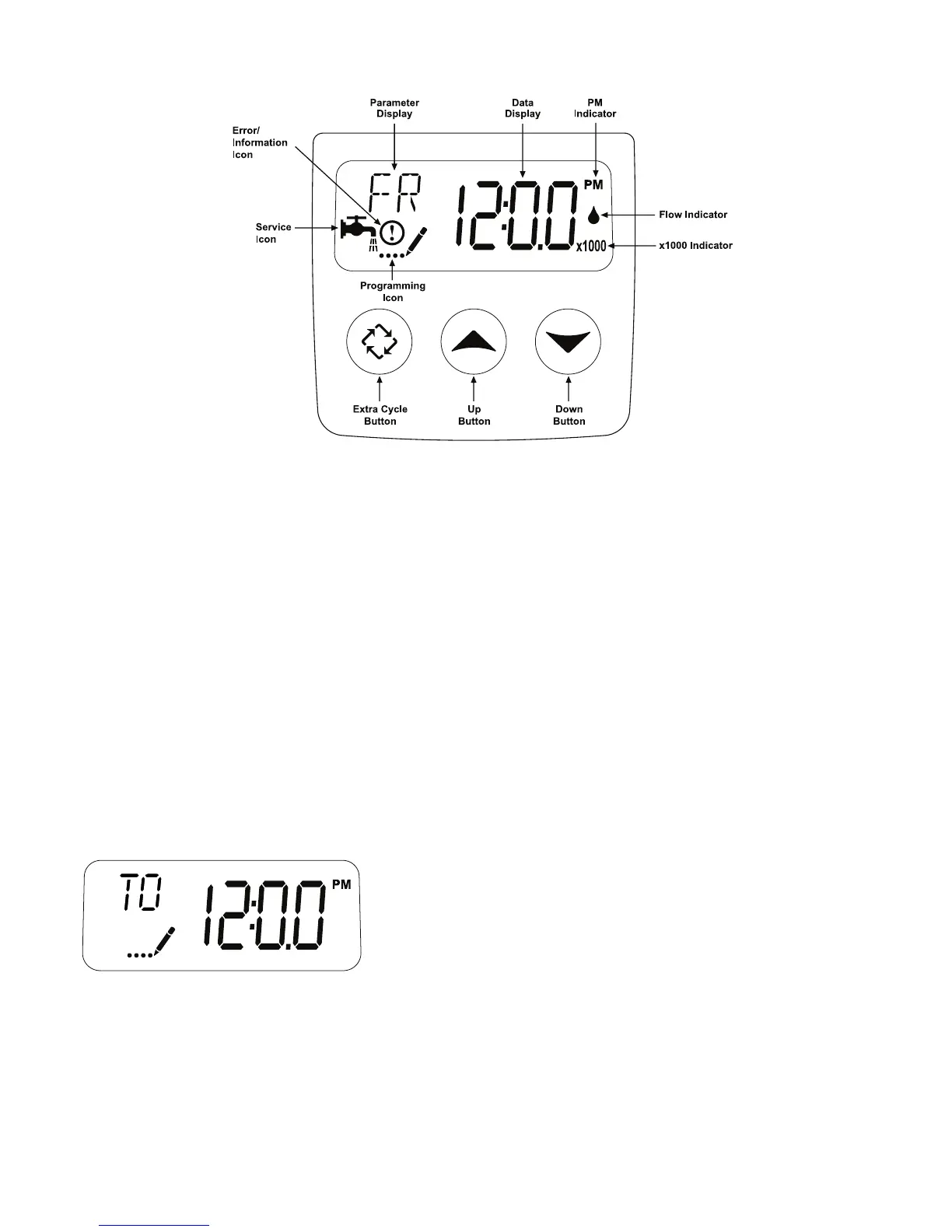
Whenever the valve is in Service the current time of day can be set, the control programmed, or an extra regeneration
initiated at any time.
Set Time of Day
1. Press and hold either the Up or Down buttons until the programming icon replaces the service icon and the
parameter display reads TD.
2. Adjust the displayed time with the Up and Down buttons.
3. When the desired time is set, press the Extra Cycle button to resume normal operation. The unit will also return to
normal operation after 5 seconds if no buttons are pressed.
Queueing a Regeneration
1. Press the Extra Cycle button. The service icon will flash to indicate that a regeneration is queued.
2. To cancel a queued regeneration, press the Extra Cycle button.
Regenerating Immediately
Press and hold the Extra Cycle button for five seconds.
Figure 4



 To Next Page