8
Keeping Warm Water
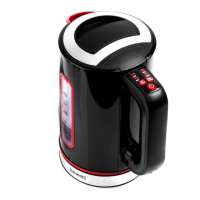
A. The “Keep Warm” button can be used to keep water warm at the
temperature you choose. If the temperature of water goes below the
temperature of 40℃, 60℃ or 80℃ by 5℃ then the kettle will automatically
boil the water until it reaches your preferred temperature. It will continue this
function for 30 minutes.
B. Only press “KW” key before any other key is pressed. If the KW button
is pressed, the light of the KW button is on for 30 seconds and will go off
automatically.
Every key has an On and Reset function.
The water temperature variation is +/-5℃.
Cleaning & Maintenance
• Unplug the kettle before cleaning.
• Do not wet the power base and the electric parts outside the kettle.
• Please do not use abrasive of the chemical, iron or wood to wash it.
CAUTION - Material Damage
• Take care that any steam escaping from the appliance might damage wall
paper, wall cabinets or other items. Turn the spout away from furniture and walls.
• Keep hard items away from the appliance.
• Although the kettle is protected from boiling dry, operating it without water will
shorten the lifespan of the kettle.
• If the cut-out switch turns off the kettle to prevent overheating and boiling dry,
proceed as follows:
- Take the kettle off from the base.
- Allow the kettle to cool down for at least 15 minutes before relling it with water
or replacing the kettle on its base.


 To Next Page
 Loading...