98
C
°
%
1 2 4 6 8H
EN
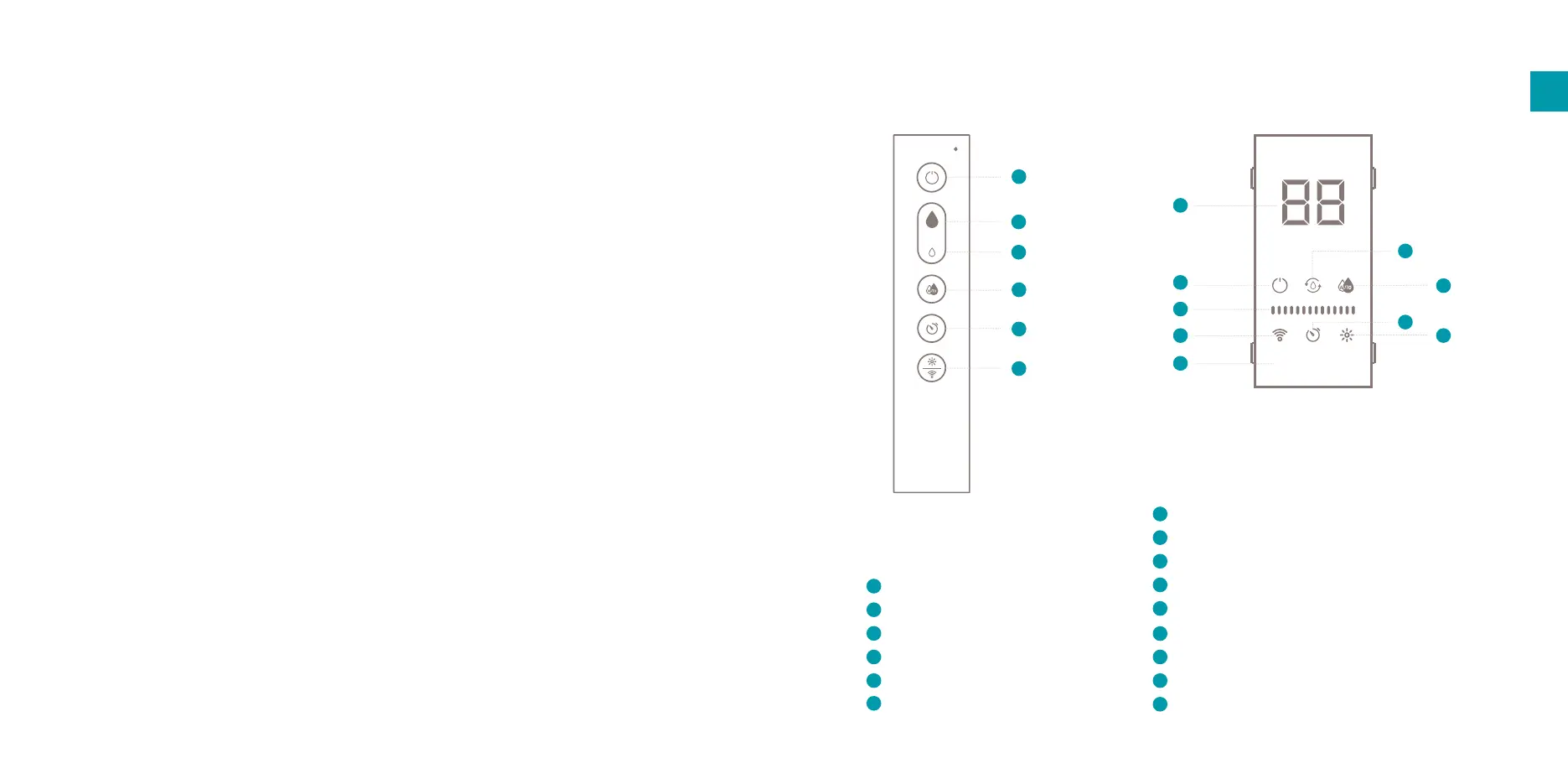
4. Functions
Power
Increase mist output
Decrease mist output
Auto mode
Timer
Ambient light / WIFI mode
1
2
3
4
1
2
3
4
5
6
Temperature (°C) / Humidity (%) display
Power indicator
Water replacement indicator
Auto mode indicator
Mist output level bars
WIFI indicator
Timer indicator
Ambient light indicator
Timer hour(s) indicator
1
2
3
4
5
6
7
8
9
Control panel /
remote control
Display
5
6
1
2
3
4
5
6
7
8
9
Storage
When the appliance is not used for a long time,
please clean all the components, dry them, and put
them into the original box and store them in a dry
place.
Spare parts
Spare parts and accessories can be requested at
the point of purchase or local distributor.


 To Next Page