98
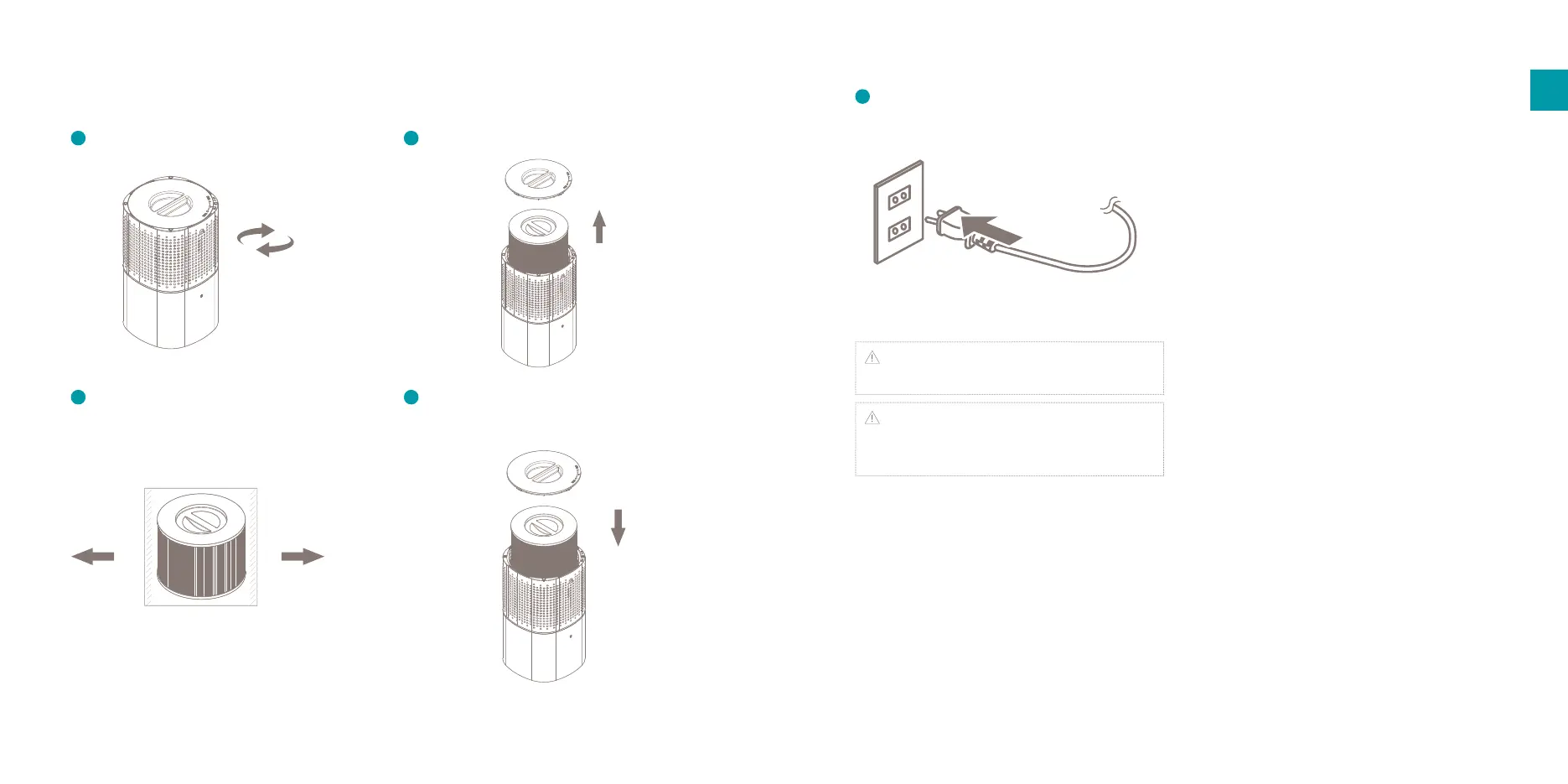
Take out the lter including the seal.
Place back the lter and re-attach the
bottom cover.
Installation
Installing the lter
Remove the bottom cover of the device.
Remove the seal from the lter.
Insert the plug into a wall outlet and switch
on the device with the power button
Note: There should be a positive click noticeable
when re-attaching the bottom cove.
Important: Only use genuine cover Duux
replacement lters for optimal eciency, proper
functioning and full warranty coverage.
EN
1
42
5
3


 To Next Page