54
1. Product overview ΖQVWDOODWLRQDQGXVH
Placing the unit
1
0DNHVXUHWKDWWKHGHYLFHLVSODFHGRQDȵDW
or stable surface to prevent tumbling.
.HHSDWOHDVWFPVSDFHDURXQGWKHXQLW
IRUHɝFLHQWRSHUDWLRQ
Do not place the unit outdoor.
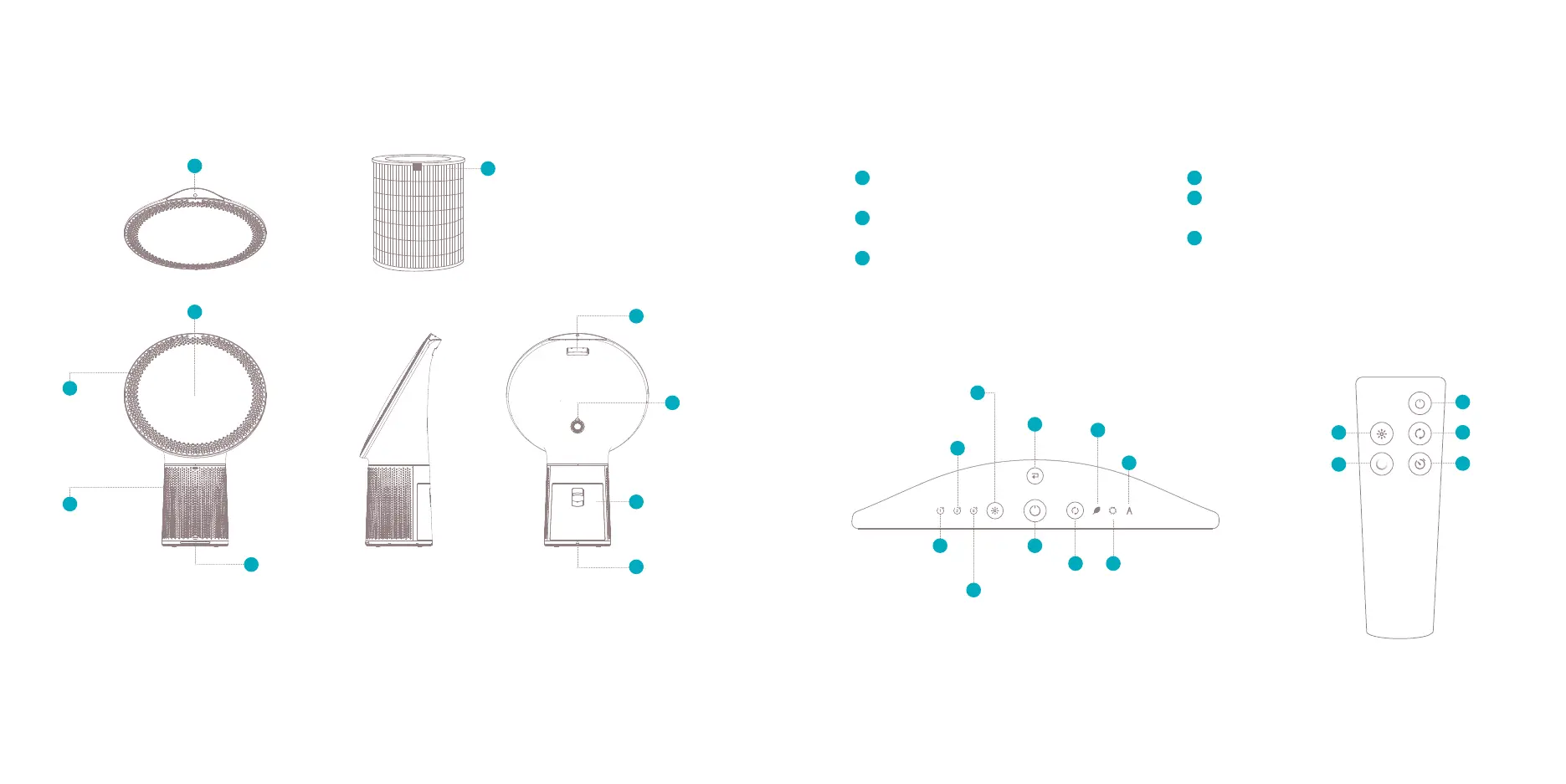
eco mode
power
power
1 hour
timer
KRXU
timer
KRXU
timer
auto mode
ambient
light switch
ambient
light switch
change ambient
light color
ȴOWHU
replacement
indicator
select
mode
select
mode
timer
powerclean
mode
4
8
1
4
6
&RQWUROSDQHODQGremote control
Installation
1
Plug the power cable in a power outlet.
The power icon on the control panel will
turn red
Press the power icon to turn on the device
1
air
outlet
air inlet/
SUHȴOWHU
4
ambient light
control panel
1
ȴOWHUFRYHU
carrying
handle
3092&
sensors
power cable
HEPA+ activated
FDUERQȴOWHU
6
8
air quality
indicator
DXPU01_reduced:Layout 1 29/11/17 12:18 Page 3



 To Next Page