1514
Weekly maintenance
1
Switch the power button to OFF and remove the
power plug;
2
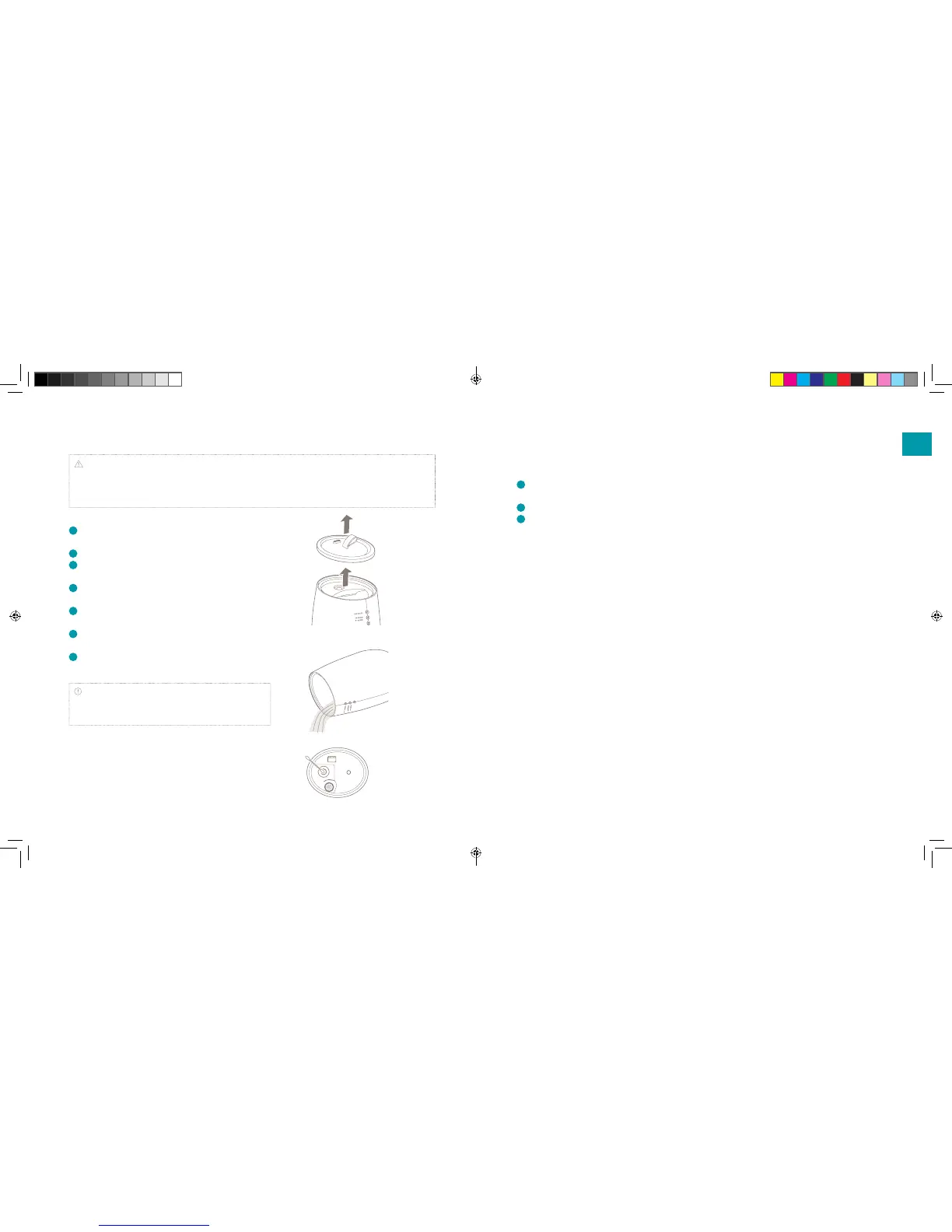
Remove the top cover and water tank from the device.
3
Remove the remaining water in the water tank and at
the bottom of the device.
4
Add dishwashing detergent to a soft sponge for dishes
and wash the water surface and water tank.
5
Rinse the water tank well so that no washing up liquid
remains and dry the water tank thoroughly.
6
Gently clean the surface of the ultrasonic membrane
with a soft, dry cloth.
7
After soaking a soft cloth in lukewarm water, wring and
wipe o the dirt on the bottom and sides.
Attention: Please do not use metal scourers, melamine
sponges, polishing powers, or solvents like benzene, thinner,
alcohol or other.
Maintenance before storing
Please conduct the following maintenance before
storing the device:
1
Follow the same steps under ‘Weekly
maintenance’
2
Dry each component before assembling it
3
Check that each component has fully dried,
then assemble the device and store it.
Spare parts
Spare parts and accessories can be requested at
the point of purchase or local distributor.
Note: If using on consecutive days, please carry out maintenance by applying the following procedure once
a week. If this type of maintenance is not conducted, scale may form on the inside and shorten the life of the
equipment or cause a breakdown. Moreover, if the device continues to be used with no maintenance, it may
lead to the growth of bacterial and mould/bad odour.
EN
DUU15045_Handleiding-TAG-Universeel.indd 14-15 14-04-17 15:46


 To Next Page