Need help?
Do you have a question about the Duxbury Networking DUX1510P and is the answer not in the manual?
Provides step-by-step instructions to access the switch's web interface.
Covers PoE power supply, device information, and power configuration strategies.
Configures QoS based on 802.1p and DSCP for traffic prioritization.
Implements ACLs based on MAC, IP, and port for traffic filtering.
Allows modification of user passwords for system access.
Supports automatic IP acquisition or static IP address assignment.
Provides functionality to reset the device to its default settings.
Guides on upgrading the switch's software to the latest version.
Details the function and usage of the reset button for device restart/reset.
 General
| Switching Capacity | 20Gbps |
|---|---|
| Forwarding Rate | 14.88Mpps |
| MAC Address Table | 8K |
| Jumbo Frame | 9KB |
| Power Supply | 100-240V AC, 50/60Hz |
| Storage Temperature | -40°C to 70°C |
| Humidity | 10% to 90% non-condensing |
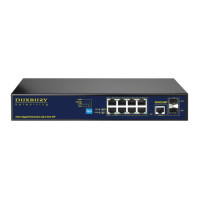
| Ports | 8 x 10/100/1000 Mbps PoE+ ports 2 x Gigabit SFP ports |
| Dimensions | 280 x 180 x 44 mm |
| Weight | 1.8 kg |
| Operating Temperature | 0°C to 40°C |

 To Next Page