
 Need help?
Do you have a question about the Duxbury Networking DUX412 and is the answer not in the manual?
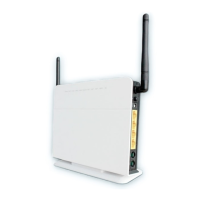
Provides a general overview of the Duxbury DUX412 3G ADSL Wireless VoIP Gateway.
Lists all items included in the Duxbury DUX412 gateway package.
Details the technical specifications of the Duxbury DUX412 3G ADSL Wireless VoIP Gateway.
Describes various application scenarios and use cases for the Duxbury DUX412 Gateway.
Details the different interfaces and indicators on the Duxbury DUX412 Gateway.
Explains the function and meaning of each LED indicator on the Duxbury DUX412 Gateway.
Instructions on how to mount the bracket onto the Duxbury DUX412 Gateway.
Guide on inserting the SIM card into the Duxbury DUX412 Gateway.
Provides step-by-step instructions for connecting the Duxbury DUX412 Gateway hardware.
Explains the default configuration settings of the Duxbury DUX412 Gateway.
Details how to configure the Duxbury DUX412 Gateway's IP address and network settings.
Guides users on how to log in to the Duxbury DUX412 Gateway's web interface.
Explains how to view and interpret the status information of the Duxbury DUX412 Gateway.
Walks users through a quick setup wizard for common Duxbury DUX412 Gateway configurations.
Guides on configuring the 3G network interface and WAN service for the Duxbury DUX412 Gateway.
Provides steps to configure the ADSL WAN service for the Duxbury DUX412 Gateway.
Explains how to manage SIM card PIN settings for 3G connectivity on the gateway.
Covers advanced configuration options for the ADSL interface.
Details how to configure the DMZ Host for forwarding traffic to a specific internal host.
Instructions for setting up port forwarding (virtual servers) on the Duxbury DUX412 Gateway.
Explains how to configure static IP routes for advanced network configurations.
Covers Quality of Service (QoS) configuration for managing network traffic.
Configures the priority and failover order for different WAN interfaces.
Guides on enabling or disabling Universal Plug and Play (UPnP) functionality for device discovery.
Explains how to configure Dynamic DNS to alias a dynamic IP address to a static hostname.
Details the configuration of IPsec VPN tunnels for secure remote access.
Provides configuration steps for setting up PPTP VPN tunnels.
Covers basic settings for enabling and configuring the wireless (WLAN) access point.
Explains how to set up authentication methods and encryption for WLAN security.
Provides advanced configuration parameters for the Wireless LAN interface.
Details how to set up MAC address filtering for Wi-Fi clients.
Explains how to configure Wireless Bridging functionality to extend Wi-Fi network coverage.
Configures the gateway's IP address and DHCP server options for the local network.
Details how to enable and configure global firewall settings and levels.
Explains how to set up IP filters to allow or block specific incoming and outgoing IP traffic.
Covers configuration of domain filters for blocking or allowing specific domain names.
Details how to set up MAC address filtering for network access control.
Enables and configures remote access to the gateway's web interface.
Guides on connecting a telephone and making calls over GSM/3G or VoIP.
Covers basic SIP parameters for VoIP configuration with a service provider.
Explains how to configure advanced VoIP features and codecs.
Manages user accounts, permissions, and passwords for accessing the gateway.
Allows setting the gateway's system time manually or via an internet time server.
Provides instructions for backing up the gateway's current configuration.
Details how to restore the gateway's configuration from a backup file.
Guides on how to update the gateway's firmware software.
Explains how to restore the gateway to its original factory default settings.
Describes how to perform a soft restart of the Duxbury DUX412 Gateway.
Covers the configuration of the TR-069 client for remote device management.
Explains the Ping Reboot feature for automatically restarting the gateway when the internet connection is lost.
Details the 3G Link Notice feature for sending SMS alerts when the 3G connection is unavailable.
Provides steps to troubleshoot and resolve issues related to accessing the internet.
 General
| Brand | Duxbury Networking |
|---|---|
| Model | DUX412 |
| Category | Gateway |
| Language | English |

 To Next Page