65
8.5 Health Check
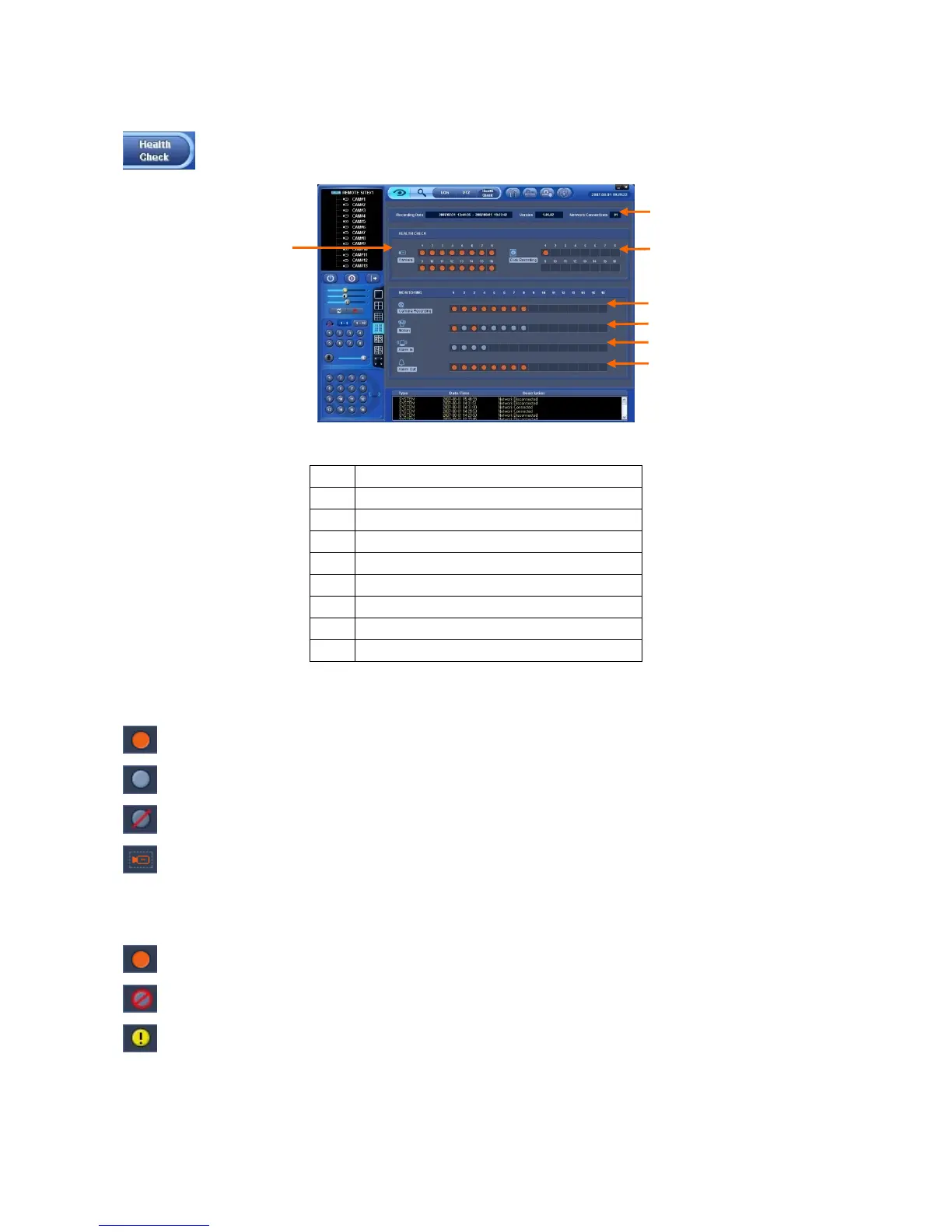
This function allows user to check operating status of each unit in DVR connected to CMS.
Click on Health Check button in Watch mode and the following screen will appear.
The list below describes functions of each part of the screen.
1 CMS connections (up to 4)
2 Camera connections and operating status
3 HDD connection and its operating status
4 Recording status
5 Motion recording status
6 Alarm In connection and operating status
7 Alarm Out connection and operating status
8 Version
9 Recording start/end date and time
8.5.1 Camera connections and Operating Status
Camera is in normal operation.
Camera is not in use.
Camera is not connected or Video Loss.
Camera is Covert status.
8.5.2 HDD connections and Operating Status
Camera is in normal operation.
HDD is not connected (up to 4).
HDD has an error.
⑥
④
⑤
⑦
②
③
①



 To Next Page