79
11.2 Live Display
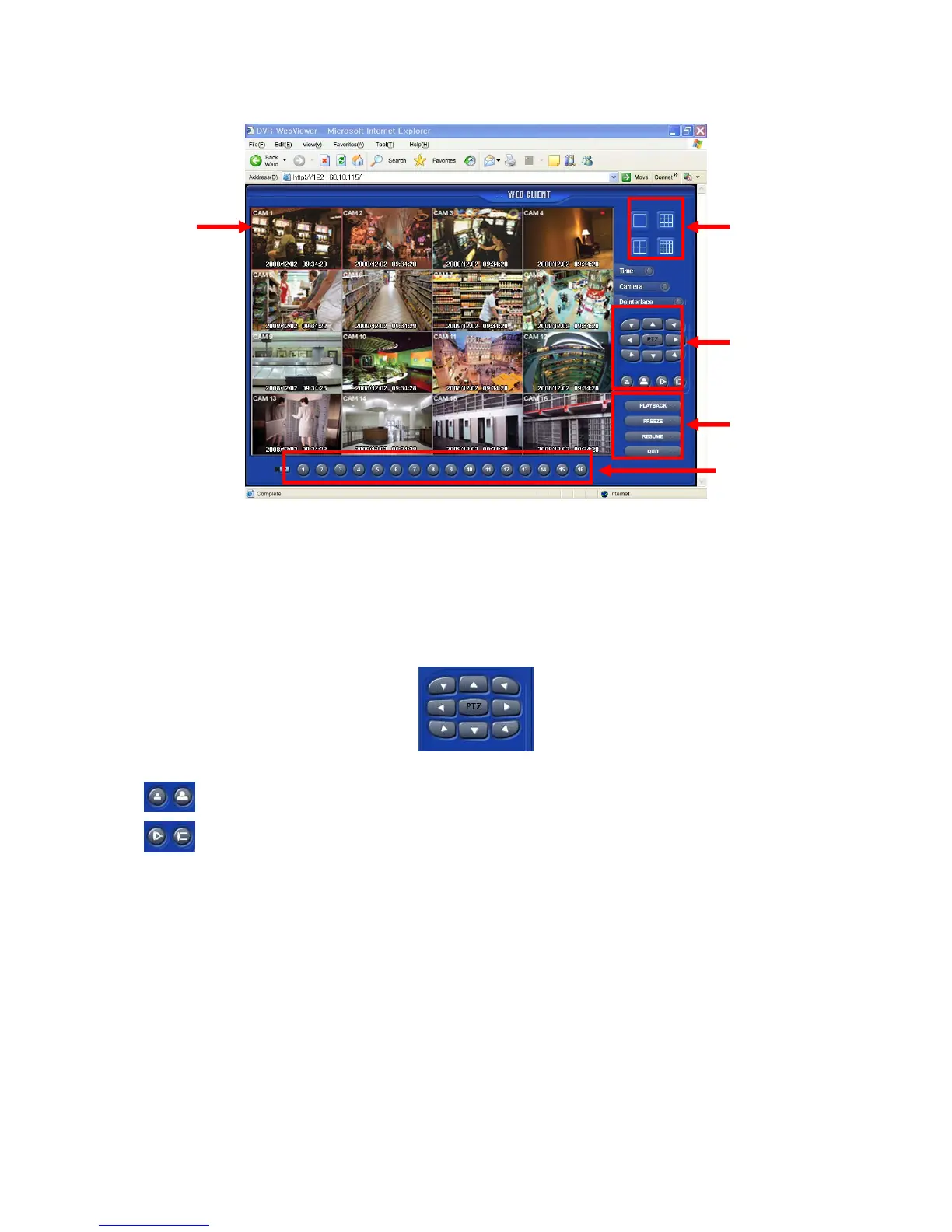
After Login, the following screen will appear.
The screen contains following features:
① Display current live video
② Setting display mode
- Playback : Transferring search mode.
- Freeze : Pause current display.
- Resume : Resume paused display.
- Quit : Finish program and close browser.
③ PTZ controller – Must complete the control setting on its DVR and Cameras first.
- Pan/Tilt direction button.
-
Zoom In / Zoom Out control button.
-
Focus Near / Focus Far control button.
④ Select display split mode. User can choose 1, 4, 9, 16 split display consequently.
- Check boxes for hiding/showing text from OSD.
⑤ Channel selection button - available to check the channel (camera) number of current display.
②
①
③
④
⑤



 To Next Page