80
11.3 Playback Screen
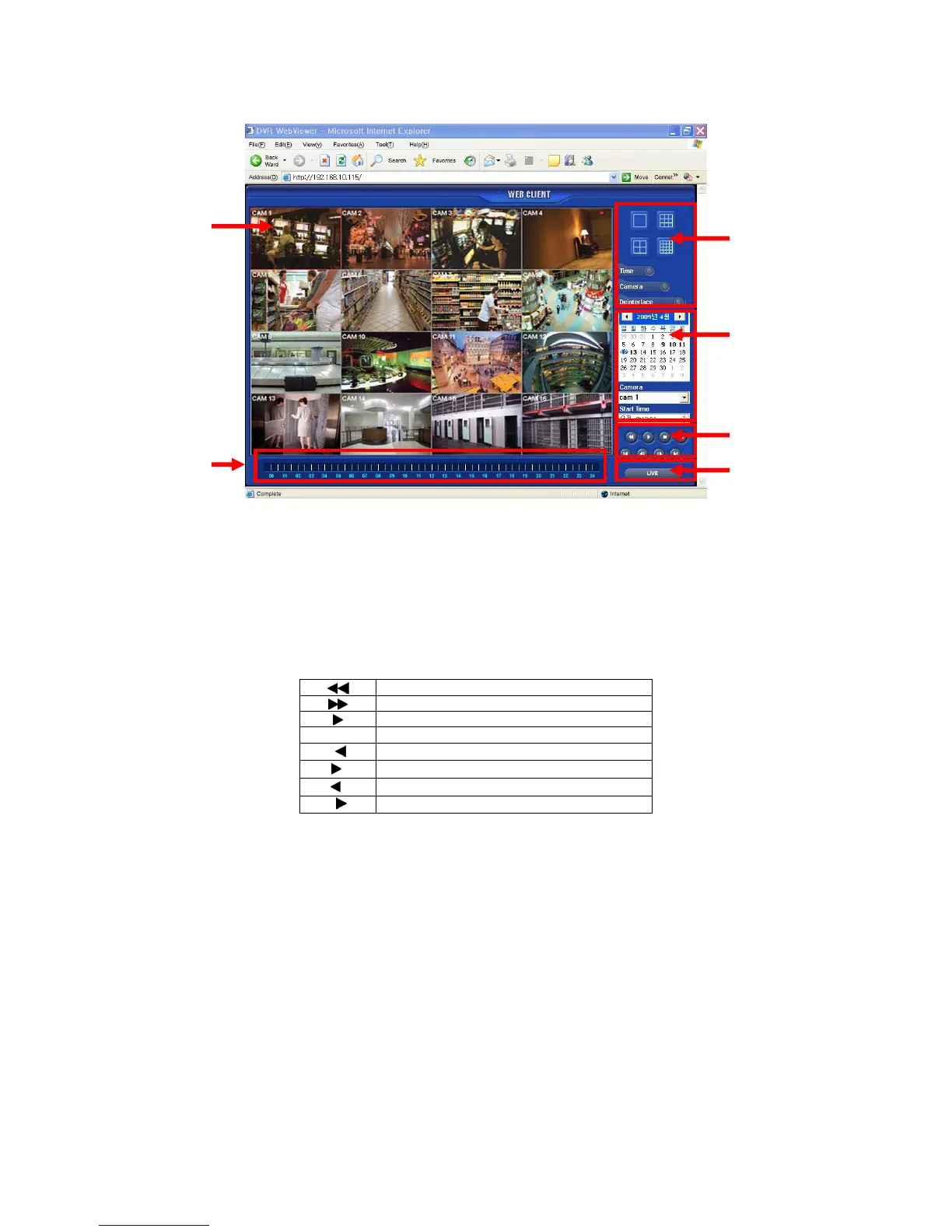
Click [Playback] then following screen will appear.
The screen contains following features:
① Searched playback video displays.
② Transferring Live mode.
③ Setting Date/Time to search.
- Click a date in calendar, then recorded data will be showed up in Time bar.
- Start Time : Setting start time.
- Camera : Choosing camera number from 1~16 individually or all channels.
④ Play functions for playback.
Fast Backward Play
Fast Forward Play
Play
Stop
I
Go to the First Image
I
Go to the Last Image
I
Go to the Previous Image
II
Go to the Next Image
⑤ Select display split mode. User can choose 1, 4, 9, 16 split display consequently.
- Check boxes for hiding/showing text on OSD.
⑥ Indicate the recorded data in Time bar figure.
②
①
③
④
⑤
⑥



 To Next Page