117
14. SERIAL IN (POS/ATM)
14.1 Usage of Serial-In Function
Enables to record/search/display all transactions on monitoring screen by connecting POS/ATM/Cash Register.
User can choose the data whether to record/display on their taste without limitedly designated protocols.
14.2 Connection Method
Four ATM/POS channels are available as a default.
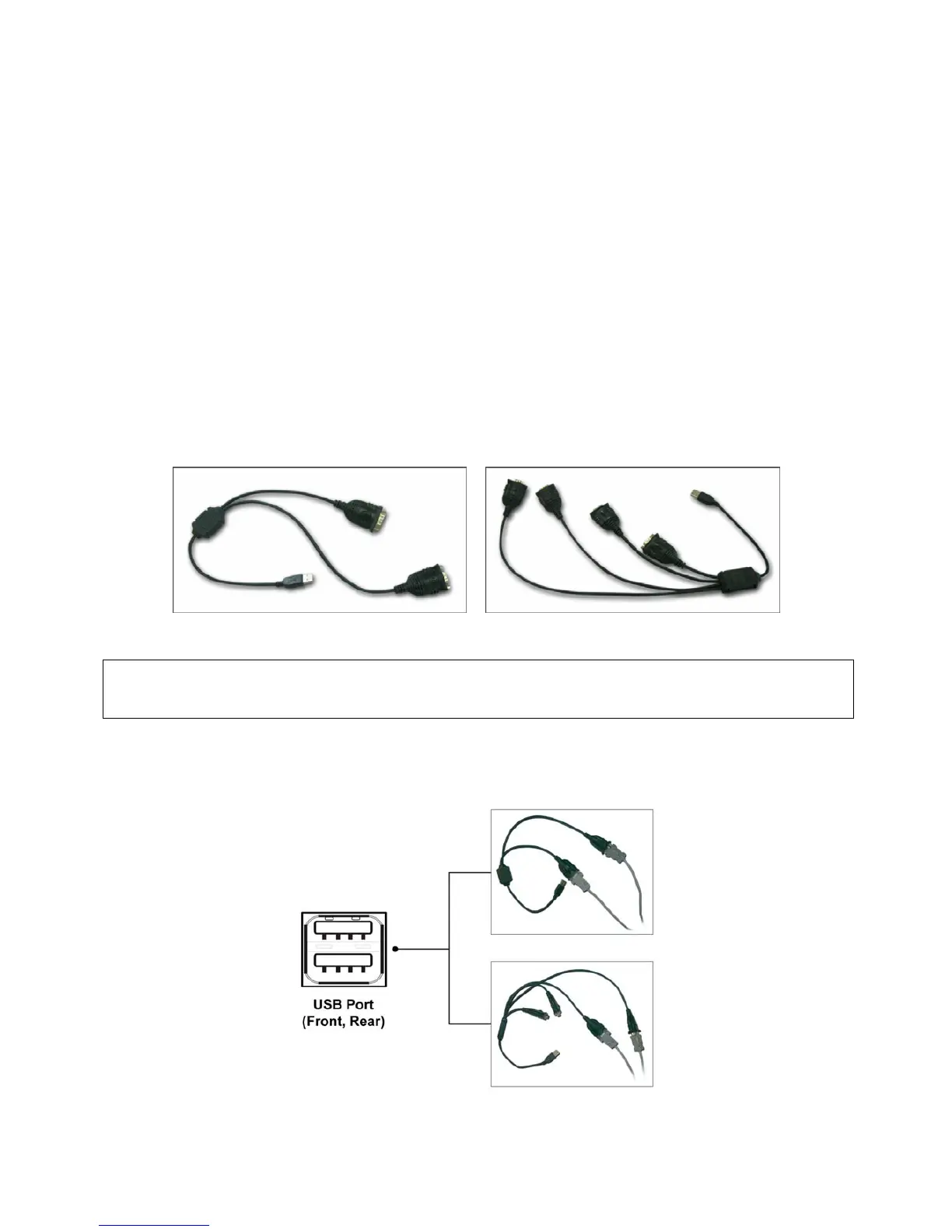
Connect the USB slot of DVR by using USB to RS-232 Converter Cable and it is available to connect up to 4 serial-in
devices by using the converter.
Applicable converters as follows
- FTDI chipset included converter
- Prolific PL2303 / PL2303X / PL2303HX chipset included converter
- Winchiphead chipset included converter
When using a converter, please connect USB slot of DVR first, then restart in order to the DVR recognizes the USB
converter.
When using a multi-converter, the port recognizes as Number 1 as its shortest line of converter consequently.
When using both single and multi-converters, single converter is recognized as Port Number 1.
(Note)
This function is only supports English alphabetical characters.
The maximum extension length for RS-232 cable is 15 meters approximately.
14.3 Connection Diagram
Users can connect RS-232 port to USB port at front/rear of DVR by using a converter.



 To Next Page
 Loading...