118
14.4 Link
14.4.1 Link Setup
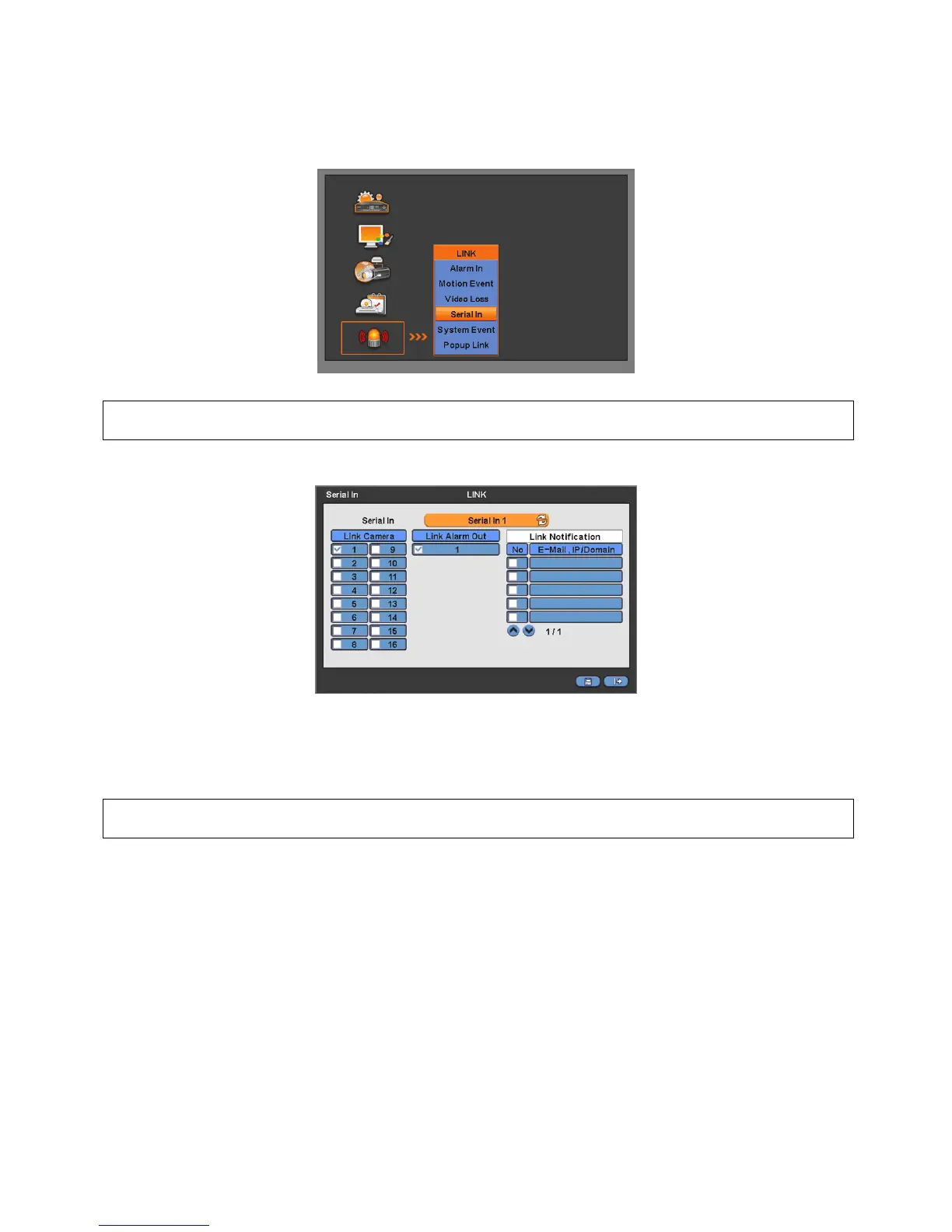
Click “Setup>Link>” then shows as below.
(NOTE)
The above menu is only available on the DVR model with Serial-In function.
Click “Serial In” to appear following screen.
Select POS/ATM port by clicking ‘Serial In’ button.
Assign the port to display/record channel by clicking a “Link Camera”.
Select “Link Alarm Out” item to run alarm output when the serial in events occur.
Designate the E-Mail address or IP/Domain name at “Link Notification” box when the serial in events occur.
(NOTE)
E-Mail address or IP/Domain configuration is possible to set in ‘Setup>Network>Notification’ menu.
Set other POS/ATM port as above.
Click “OK” to save the configuration.
14.4.2 Schedule Setup
Click “Record>Schedule>” then shows as below.



 To Next Page