119
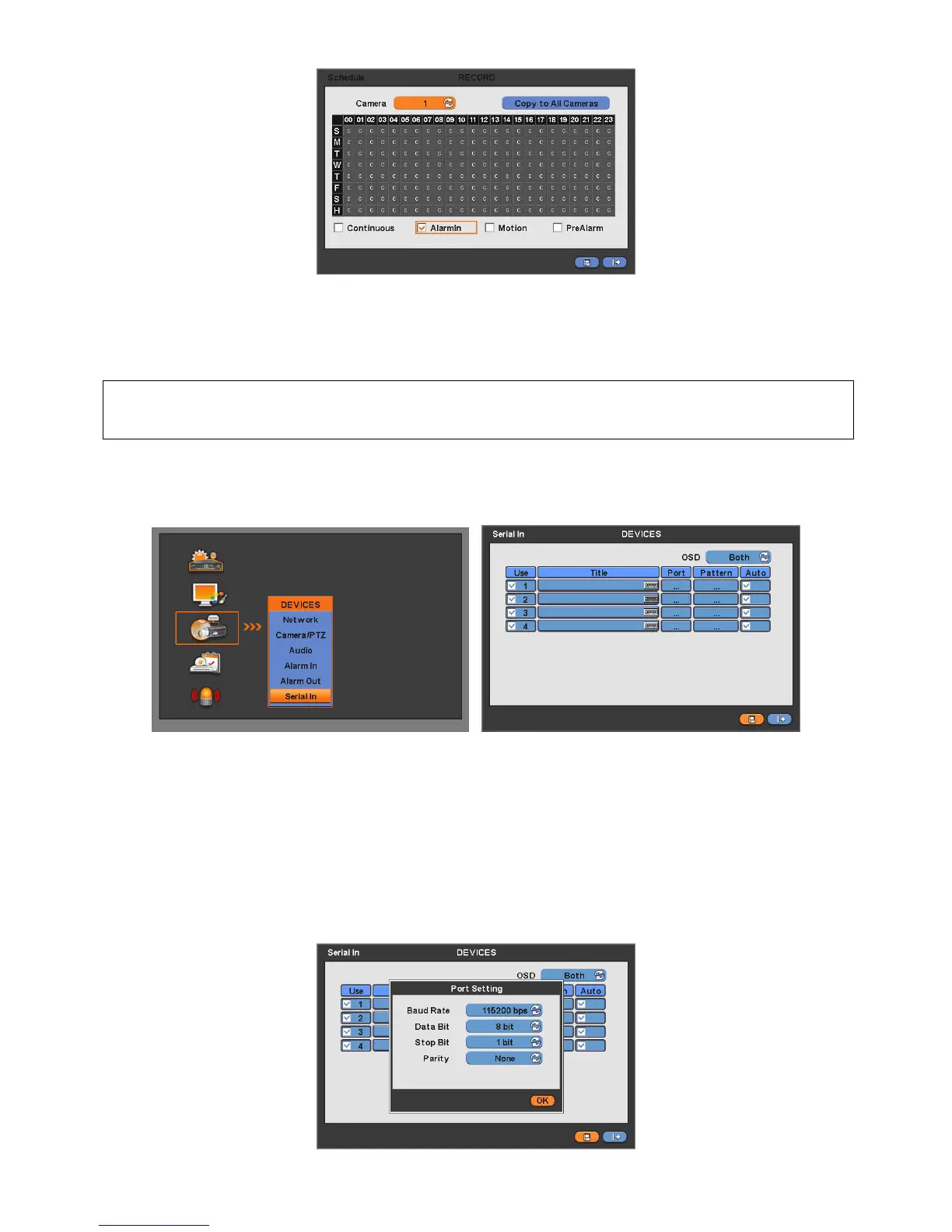
Tick the box(□) item Alarm In.
Click the Time/Date that wishes to activate ATM/POS function on schedule.
It is possible to activate all the time by clicking top-right side of table.
Click “OK” to save the schedules.
(NOTE)
Please do not select the Alarm In and Motion simultaneously on schedule setup.
Otherwise, POS/ATM text will be displayed improperly.
14.5 Setup
Please click ( ) “System>Devices>Serial-In”, then user will see the display below.
14.5.1 Title
Click “Title” item then virtual keyboard will appear.
Input the title then click ( ) to save.
14.5.2 Port Setting
Press ( ) the “Port Setting” button in order to set up the port. Default values are Baud rate 2400 bps, Data Bit 5 bit, Stop Bit
1 bit, Parity None.
When the setup is done, press enter ( ) to save the setting.


 To Next Page
 Loading...
