Need help?
Do you have a question about the Dynacord CLS 222 and is the answer not in the manual?
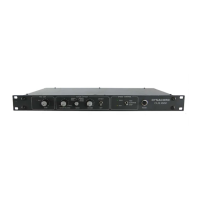
LED lights up when the input channel starts to overload.
Volume control for universal input.
Adjusts the ratio of the effects signal in the bass and treble channels.
Selects Mono, Stereo 1 (40%), Stereo 2 (75%), or Super Stereo (100%) modes.
Adjusts the output level.
Controls the effect on/off function.
LED blinks synchronously with the Treble-Rotor speed.
LED blinks synchronously with the Bass-Rotor speed.
Controls rotor speed: fast, slow, or stop.
Turns the unit on or off.
Socket for connecting the mains power supply.
Fine adjustment for rotor speed in the bass channel (+10%).
Fine adjustment for rotor speed in the treble channel (+10%).
Jack connector for pedal switch (FS 22) for rotor control.
Mono output jack connection.
Left XLR output connection, unbalanced.
Left jack output connection.
Right XLR output connection, unbalanced.
Stereo jack output (left+right) for headphones or as right output.
Unbalanced input jack connection.
Achieves absolute rotor sound electronically via an electronic crossover.
Features adjustable rotor speeds and stereo base width settings.
Can be connected to keyboard amps, vocal systems, and PA systems.
Diagram showing the CLS 222 connected in mono to a keyboard and amplifier.
Diagram illustrating stereo connection with a mixer and monitor amps.
Example of connecting to a Gigant III S stereo output amplifier.
Demonstrates using the CLS 222 for new effects for guitarists.
Details input levels and various output types (XLR, jack, mono, stereo).
Specifies signal-to-noise ratio, line power supply, and power consumption.
Provides physical dimensions (W x H x D) and weight of the unit.
Shows the audio signal flow through the CLS 222, including filters and controls.
Illustrates the control electronics for rotor speed and starting.
 General
| Technology | Passive |
|---|---|
| Inputs | 1 x Speakon NL4 |
| Impedance | 8 Ohms |
| Crossover Frequency | 1.8 kHz |
| Sensitivity | 96 dB (1W/1m) |
| Woofer | 12" |

 To Next Page