Need help?
Do you have a question about the Dynacord DLS 223 and is the answer not in the manual?
Thanks for purchasing the DLS 223, detailing its capabilities and sound simulation features.
Crucial safety and handling instructions for the DLS 223 to prevent damage or injury.
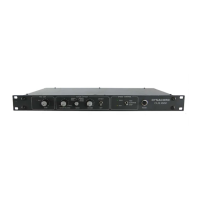
Overview of the DLS 223's front panel controls and their functions.
Detailed explanation of each control and display element on the front panel.
Description of the rear panel connections and their respective functions.
Guidance on correctly connecting the DLS 223 for optimal performance.
Diagram and explanation for mono input and mono output configuration.
Diagram and explanation for mono input and stereo output configuration.
Diagram and explanation for stereo input and stereo output configuration.
Explanation of the groundlift switch function for hum reduction.
Instructions for powering on and initializing the DLS 223.
Step-by-step guide to turning the DLS 223 on.
Procedure for setting optimal input levels and checking for clipping.
Detailed guide on operating the DLS 223, including effect control and program selection.
How to switch between the original and effect signals.
Instructions for selecting and loading cabinet simulation programs.
How to adjust parameters using the rotary encoder and display.
Steps for saving custom settings and restoring factory presets.
Detailed explanations of parameters like Distortion and Room simulation.
Adjusting the acoustic balance between treble and bass rotors.
Adjusting the rotation speed of the bass rotor.
Adjusting the rotation speed of the treble rotor.
Introduction to the Option Mode for accessing additional parameters and settings.
How to enter the Option Mode for advanced parameter adjustments.
How to navigate and change parameters within the Option Mode.
Steps to exit Option Mode and save edited settings.
How to access and select additional factory presets.
Detailed list and explanation of programmable parameters from 01 to 46.
Adjusting the vibrato curve form for bass rotor.
Adjusting left/right modulation intensity for bass rotor.
Adjusting volume modulation between front and back for bass rotor.
Setting volume of simulated room when rotors point backwards.
Determining the crossover frequency between bass and treble rotors.
Adjusting active EQ for bass frequencies.
Adjusting the equalizer band at 48 Hz.
Adjusting passive EQ for bass frequencies.
Balancing volume variations between programs.
Setting the lower cutoff frequency of the comb filter for bass.
Determining the depth of the comb filter for bass.
Fixing the comb filter direction for treble rotor.
Determining the rotor direction in the STOP position.
Visual check of the bass rotor position.
Visual check of the bass rotor speed.
Setting the hold time of the Peak LED in the input level meter.
Activating the remote control feature via MIDI SYSEX data.
Comprehensive list of all programmable parameters and their functions.
A list of available factory presets for the DLS 223.
Introduction to MIDI, basic settings, and remote control capabilities.
How to configure MIDI learning and delete allocations for remote control.
Detailed SysEx commands for parameter adjustment, program dumps, and system control.
Understanding MIDI event lists and keyboard number mappings for remote control.
List of parameters and their corresponding MIDI ranges and option modes.
Overview of remote control options using foot switches.
Details on connecting foot switches for remote control.
Background information on the DLS 223 design and organ cabinet history.
Explanation of the MIDI interface and its use with musical instruments.
Technical specifications of the DLS 223, including electrical and physical data.
Schematic overview of the DLS 223's internal circuitry and signal flow.
Detailed physical dimensions of the DLS 223 unit.
Technical measurement data, including voltage, current, and power consumption.
Details on input/output impedance, voltage levels, and levels for HI/LO settings.
Frequency response curves for original, effect, and EQ settings across various presets.
Analysis of THD, distortion, noise voltages, and crosstalk for different signal paths.
Table of parameter indices and their values in Service Mode.
List of factory presets available via Service Mode Index 00.
Guides for accessing, executing, and testing various service routines for diagnostics and maintenance.
Procedures for EEPROM testing, saving, deletion, and MIDI communication tests.
Routines for testing keyboard functionality and software versions.
Circuit diagram for the MIDI interface and front panel controls.
Circuit diagrams detailing equalizer, input/output stages, and main logic.
Schematics for the power supply unit and line filter.
Details of the limited warranty, exclusions, and service information.
 General
| Channels | 2 |
|---|---|
| Input Connectors | XLR |
| Output Connectors | XLR |
| Frequency Response | 20 Hz - 20 kHz |
| Type | Stereo Electronic Crossover |


 To Next Page