'LDJQRVWLFVDQG)DXOW)LQGLQJ
62
:L]DUG'LDJQRVWLFV
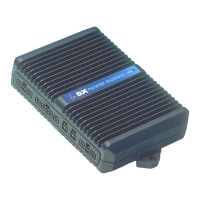
The Programming Configuration Diagnostic (Wizard) tool is used to provide
diagnostics for the PM.
7R9LHZ'LDJQRVWLFV
1. Enter the Wizard’s Main Menu screen as described in the Wizard Manual.
2. Select the ‘Diagnostics’ menu.
Status Report
Print Status Report
Chair Log
Print Chair Log
Erase Chair Log
Print Chair Log prints the Status Report followed by the Chair Log. These reports
should be sent along with a faulty controller to a Service Centre. Contact a
Dynamic Sales and Service Centre (refer to section 14).
6WDWXV5HSRUW
Status report gives you the current status of the wheelchair, including faults and
other warning conditions currently active. Pressing «?» or selecting `Info` will
display further information about the condition. Some conditions in the Status
Report are not caused by actual faults, but are only temporary conditions e.g. a
motor lead was not connected when the DX System was turned on and driving was
attempted, producing a Motor Fault.
7R9LHZ6WDWXV5HSRUW
1. Perform steps 1. and 2. above.
2. Select ‘Status Report’.
3. From the ‘Modules Attached’ menu, select ‘Power Module’.


 To Next Page
 Loading...