Need help?
Do you have a question about the Dynasty ProAudio WSA-5RP and is the answer not in the manual?
Details on lossless audio, wide range, high performance, and connectivity options.
Lists all items included in the WSA-5RP wireless surround sound speaker kit.
Guide for connecting the transmitter using speaker wire inputs from an AV receiver.
Guide for connecting the transmitter using RCA line inputs from an amplifier.
Instructions for connecting the receiver to passive bookshelf speakers and a subwoofer.
Guidelines for positioning transmitter and receiver for optimal wireless signal.
How to power on the system, manage volume balance, and use the kit.
Steps to pair the transmitter and receiver for establishing a wireless link.
Solutions for common problems like no sound, sound interference, and communication failures.
Details on FCC rules, potential interference, and compliance measures.
Technical data including audio, range, power, frequency, latency, and dimensions.
The Dynasty Proaudio WSA-5RP is a wireless surround sound rear speaker kit designed to eliminate the need for cumbersome cables when setting up rear surround speakers and subwoofers in a home theater system. This device offers a convenient solution for those who are tired of running cables around doors or under carpets, or who face limitations in speaker placement due to cable length and component location. The WSA-5RP provides premium-quality audio for stereo applications, operating in the 5.2GHz/5.8GHz bands, and features a built-in 2 x 50W low-heat class D amplifier.
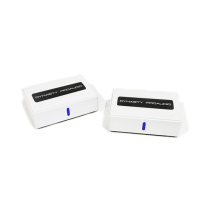
The core function of the WSA-5RP is to wirelessly transmit audio signals from an AV receiver or amplifier to passive bookshelf/rear surround sound speakers and a powered/active subwoofer. It consists of two main components: a transmitter module and a receiver module. The transmitter connects to your AV processor, while the receiver connects to your speakers and subwoofer. This wireless connection ensures that audio signals are delivered without the need for long, visible speaker wires, offering a cleaner and more flexible setup.
The device utilizes selectable digital wireless technology in the 5.2GHz and 5.8GHz bands. This advanced channel selection is designed to provide near-lossless audio transmission and excellent stability, minimizing interference. The system supports a wide operational distance of up to 100 feet (30 meters) between the transmitter and receiver in a line-of-sight scenario. For setups where line of sight is not possible, it can still operate up to 50 feet through walls and ceilings, though line of sight is recommended for best results.
High-performance audio is a key feature, with 24-bit 48KHz full CD quality, high-resolution, and uncompressed audio transmission. This ensures that the sound quality remains pristine, delivering an immersive audio experience. The built-in 2 x 50W RMS class D amplifier in the receiver allows it to directly connect to any passive bookshelf or rear surround sound loudspeakers, eliminating the need for an additional external amplifier for these speakers.
For subwoofer integration, the WSA-5RP includes an additional subwoofer mono input on the transmitter and a subwoofer mono output on the receiver. This allows for a seamless connection between your AV receiver and a powered/active subwoofer speaker or subwoofer amplifier, extending the wireless convenience to your low-frequency effects channel.
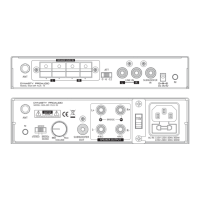
Setting up the WSA-5RP involves connecting the transmitter to your AV receiver or amplifier and the receiver to your speakers and subwoofer. The transmitter offers two primary input options: SPEAKER-LEVEL-IN and LINE-IN Audio.
When using the SPEAKER-LEVEL-IN option, you connect the right and left rear speaker terminals of your home theater receiver to the corresponding speaker terminals on the wireless transmitter using the included 6-foot speaker wire. It's crucial to ensure that the AV receiver/amplifier is powered off during this connection to prevent damage. An optional connection allows you to link the subwoofer output (or LFE) from your AV receiver/amplifier to the transmitter's subwoofer input.
Alternatively, for the LINE-IN option, you connect your WSA-5RP wireless transmitter to the amplifier's RCA output ports using RCA cables. Similar to the speaker-level input, the subwoofer output from your AV receiver/amplifier can be optionally connected to the transmitter's subwoofer input.
The receiver module connects to your speakers and subwoofer. You connect your right and left passive speakers to the respective speaker terminals on the WSA-5RP wireless receiver. Care must be taken to ensure speaker wires are correctly connected (positive to positive, negative to negative) and that exposed tips do not touch each other. For the subwoofer, you place your active/powered subwoofer speaker at its desired location and connect the WSA-5RP wireless receiver's subwoofer output to your subwoofer audio input using a mono RCA cable.
Both the transmitter and receiver require power, supplied by their respective AC adapters (9V for the transmitter, 24V for the receiver). These adapters should be plugged into standard household outlets. It's important to use only the supplied power adapters to avoid the risk of fire or damage.
Once all connections are made and power is supplied, you turn on the power switch on the front panel of both units. The LEDs on both the transmitter and receiver will light up, typically blue for 5.8GHz mode (factory default), indicating they are paired and in standby mode. If the LEDs are blinking or show different colors, pairing may be required.
The WSA-5RP features a volume control on the wireless receiver. This control is primarily used to adjust the balance of volume between the front and rear surround speakers. After the initial setup, it's recommended to adjust this volume to match the balance with your center and front left/right speakers. During playback, the master speaker volume can then be adjusted using your AV receiver/amplifier. It's advised to set the receiver's volume control to a low level initially to prevent clipping.
For users with 5.1/7.1 AV receivers, it's important to set the receiver to "MULTI ST" mode to enable the rear surround speaker output. If "2CH STEREO" or "DIRECT" mode is selected, there will be no sound from the rear speakers. The system also has an auto-standby feature; if no signal input is detected within 17 minutes after powering on, the speaker kit will enter standby mode.
The WSA-5RP is designed for ease of use and minimal maintenance. The primary "maintenance" aspects revolve around ensuring optimal performance and troubleshooting any issues that may arise.
For best reception performance, the transmitter and receiver should be placed within 100 feet line of sight of each other. If line of sight is not possible, place them such that there is the minimum possible number of walls and obstacles between them. The device can be placed horizontally on a flat surface, vertically in provided stands, or mounted on a wall using the hanging holes (60 mm apart). When wall-mounting, it's recommended to install it against the wall so that cool air can travel through the ventilation slots for proper cooling. It's important to note that the product will not work properly from within an enclosed metal cabinet, as this can interfere with wireless signals.
Troubleshooting guidance is provided for common issues. If there is no sound, checks include verifying all cable connections, ensuring the transmitter is connected to the audio output of the AV device, and the receiver to speakers/subwoofer. It's also important to confirm that the AV receiver is turned on, the correct input is selected, and the volume is turned up. Speaker wire connections should be correct and secure, and both units must be connected to a working power outlet.
For sound interference, solutions include moving the transmitter and receiver slowly to find the best reception position, shortening the distance between them (within the 100-foot maximum), and checking for obstacles or radio frequency interference sources like Wi-Fi routers. It's recommended to keep the wireless transmitter at least 18 inches away from Wi-Fi routers. Other 5.8GHz frequency cordless phones can also cause interference, so placing them far away or turning them off one at a time can help identify the source.
If there's no communication between the transmitter and receiver (indicated by blinking or different colored LEDs), a re-pairing process is necessary. This involves short pressing the "M" pairing button on both units to toggle between 5.8GHz (blinking Blue LED) and 5.2GHz (blinking Green LED) channels, ensuring both show the same LED color. A long press of the "M" button on both units confirms the channel selection. Successful pairing is indicated by a solid Blue (or Green) LED on both units. This process ensures a stable wireless link.
The device's robust design and wireless nature inherently reduce the "maintenance" associated with traditional wired setups, such as managing tangled cables or replacing damaged wires. The focus shifts to optimizing the wireless environment and ensuring proper power and signal connections. For any service and support needs, contact information is provided, emphasizing that changes or modifications not expressly approved by the party responsible for compliance could void the user's authority to operate the equipment.
 Audio Specifications
| audio resolution | 24bit, 48KHz |
|---|---|
| speaker frequency response | 20Hz ~ 22 kHz |
| subwoofer frequency response | 17Hz ~ 200Hz |
 Power
Power| speaker power output at 4 ohms | 2 x 50W |
|---|---|
| speaker power output at 8 ohms | 2 x 25W |
| speaker audio input | 9V |
 Weight and Dimensions
| transmitter dimensions | 175mm x 100 mm x 32 mm |
|---|---|
| receiver dimensions | 175mm x 100 mm x 32 mm |
| weight | 1.00kg |

 To Next Page