Setting up the USB card
7
3 Run the file setup.exe on the CD. The installation wizard
opens.
4 Click Next.
5 Select Install USB 2.0 Driver, then click Next.
6 Click Finish to complete the installation. Your computer
restarts.
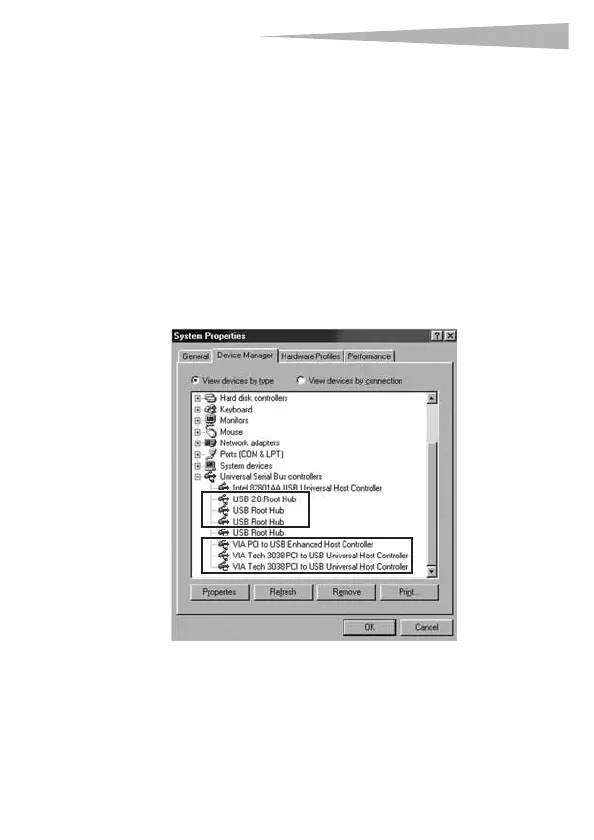
To verify that your card has been correctly installed:
1 To verify the driver installation, click Start, Control Panel,
then click System. The System Properties dialog box opens.
2 Click the Hardware tab, then click Device Manger. The
Device Manager window opens.
DX-2P2C.fm Page 7 Friday, April 21, 2006 4:48 PM



 To Next Page