6
Setting up the USB card
To verify that your card has been correctly installed:
1 To verify the driver installation, click Start, Control Panel,
then click System. The System Properties dialog box opens.
2 Click the Hardware tab, then click Device Manger. The
Device Manager window opens.
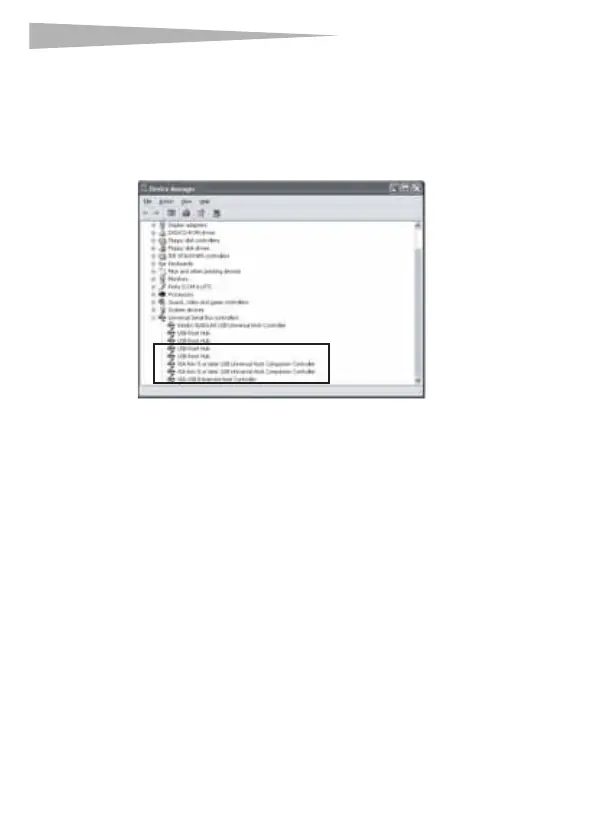
3 Double-click Universal Serial Bus Controllers or click
the plus (+) sign next to it. The following entries should be
visible:
• VIA Rev 5 or later USB Universal Host Companion
Controller
• VIA Rev 5 or later USB Universal Host Companion
Controller
• VIA PCI to USB Enhanced Host Controller
• USB Root Hub
• USB Root Hub
To install drivers for Windows Me and Windows 98:
1 Make sure that you have installed the card into your
computer, then turn on your computer.
2 When Windows starts, insert the DX-2P2C CD into your CD
or DVD drive.
DX-2P2C.fm Page 6 Friday, April 21, 2006 4:48 PM



 To Next Page