
EasyManua.ls Logo

Dynex DX-DPF7-10 - User Manual

Dynex DX-DPF7-10
24 pages
Print Icon
To Next Page IconTo Next Page
Loading...
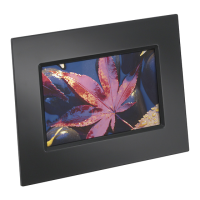
7” Digital Picture Frame
DX-DPF7-10
USER GUIDE
09-0442 DX_DPF7-10_MAN_ENG_V1.fm Page 1 Tuesday, July 7, 2009 3:00 PM

Other manuals for Dynex DX-DPF7-10

Questions and Answers

  • T
    Tyrone BrooksAug 12, 2025
    How to fix a Dynex Digital Photo Frame that won't turn on?
    • R
      Ronald BrownAug 12, 2025
      If your Dynex Digital Photo Frame won’t turn on, make sure that the AC adapter is properly inserted into both the frame and the wall outlet.
  • K
    kristijonesAug 15, 2025
    What to do if the Dynex Digital Photo Frame remote control does not work?
    • P
      patriciasanchezAug 16, 2025
      If the Dynex Digital Photo Frame remote control isn't working, first ensure that you've removed the plastic shipping tab from the battery compartment. Then, aim the remote directly at the sensor located in the middle of the frame. If it still doesn't work, try replacing the battery in the remote.
  • A
    Aaron WebbAug 20, 2025
    Why does my Dynex Digital Photo Frame keep turning off by itself?
    • S
      Steven BarrAug 20, 2025
      If your Dynex Digital Photo Frame turns off unexpectedly, try adjusting or disabling the Sleep Time function within the Settings menu.
  • B
    Bill GallagherAug 23, 2025
    What to do if my Dynex Digital Photo Frame won't read my memory card?
    • D
      danielwadeAug 23, 2025
      If your Dynex Digital Photo Frame isn't displaying pictures from a memory card, ensure that the card is a supported format and that the files are JPEG images. Also, turn the frame off, fully insert the memory card into the card slot, and then turn the frame back on.
  • M
    Michelle McgrathAug 27, 2025
    Why are some pictures loading slowly on my Dynex Digital Photo Frame?
    • C
      Cindy HansonAug 27, 2025
      If some pictures load slower than others on your Dynex Digital Photo Frame, it's likely due to higher resolution images. Try reducing the size of your images using photo editing software, or set your camera to take pictures at a lower resolution.
  • R
    Richard AlexanderAug 31, 2025
    Why is my Dynex Digital Photo Frame remote control not working?
    • J
      Jose CharlesAug 31, 2025
      First, make sure the plastic shipping tab has been removed from the remote's battery compartment. Next, ensure you are aiming the remote at the sensor located in the middle of the frame. If problems persist, replace the battery in the remote.
  • S
    Shawn HarrisSep 4, 2025
    What to do if my Dynex Digital Photo Frame displays pictures slowly?
    • N
      Nicole GarciaSep 4, 2025
      Higher resolution pictures load more slowly. Try reducing the size of your images using picture editing software (not included) or setting your camera to take pictures at a lower resolution.
  • J
    Jesse SimsSep 7, 2025
    How to view pictures on a memory card in my Dynex Digital Photo Frame?
    • S
      suttonjosephSep 7, 2025
      First, ensure that the memory card is one of the supported formats and that the files on the card are JPEG image files. If that's correct, turn your frame off and make sure that the memory card is inserted all the way into the card slot, then turn the frame on again.

Summary

Important Safety Instructions

General Safety Precautions

Details on safe operation, cleaning, ventilation, heat, power cord, accessories, and water exposure.

Features

Package Contents

Lists all items included in the digital picture frame package.

Controls and Connections

Describes the top view buttons and side ports of the picture frame.

Remote Control Functions

Explains the buttons and their functions on the remote control.

Setting Up Your Digital Picture Frame

Installing the Remote Control Battery

Step-by-step guide to insert or replace the battery in the remote control.

Making Connections

Instructions for connecting the AC adapter to the digital picture frame and power outlet.

Positioning Your Digital Picture Frame

Guidance on using the built-in stand and wall-mounting options for the frame.

Configuring Your Digital Picture Frame

Steps to access and adjust settings like brightness, sleep time, and language.

Using Your Digital Picture Frame

Starting a Picture Slideshow

How to power on the frame and begin viewing pictures in slideshow mode.

Copying and Deleting Pictures

Instructions for transferring pictures to and from the frame's internal memory.

Troubleshooting

Common Problems and Solutions

Addresses issues like frame not turning on, memory card read errors, and remote control not working.

Specifications

Legal Notices

FCC Part 15 Compliance

Information regarding compliance with FCC rules for radio frequency interference.

90-Day Limited Warranty

Details on the warranty period, coverage, and how to obtain service.

Warranty Validity and Exclusions

Specifies where the warranty is valid and lists items not covered by the warranty.

Dynex DX-DPF7-10 Specifications

General IconGeneral
BrandDynex
ModelDX-DPF7-10
CategoryDigital Photo Frame
LanguageEnglish