Troubleshooting
11
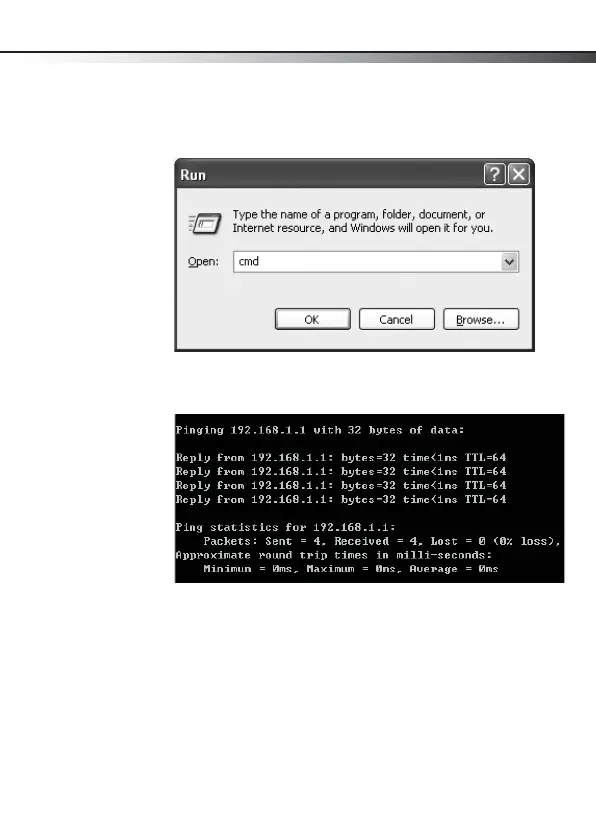
To ping the adapter:
1 Click Start, then click Run. The Run dialog box opens.
2 Type cmd in the Open box, then click OK. The command
window opens.
3 Type ping xxx.xxx.xxx.xxx (where xxx.xxx.xxx.xxx is the
IP address you want to ping). In this case, computer B with
the IP address=192.168.1.1 is being pinged from
computer A.
4 Press Enter to begin pinging. If the connection is good, you
receive four “Reply from” messages.
5 Type exit at the prompt to return to Windows.
DX-PCIGB English.fm Page 11 Thursday, September 24, 2009 9:07 AM



 To Next Page