Installation instructions
9
DX-TVM113
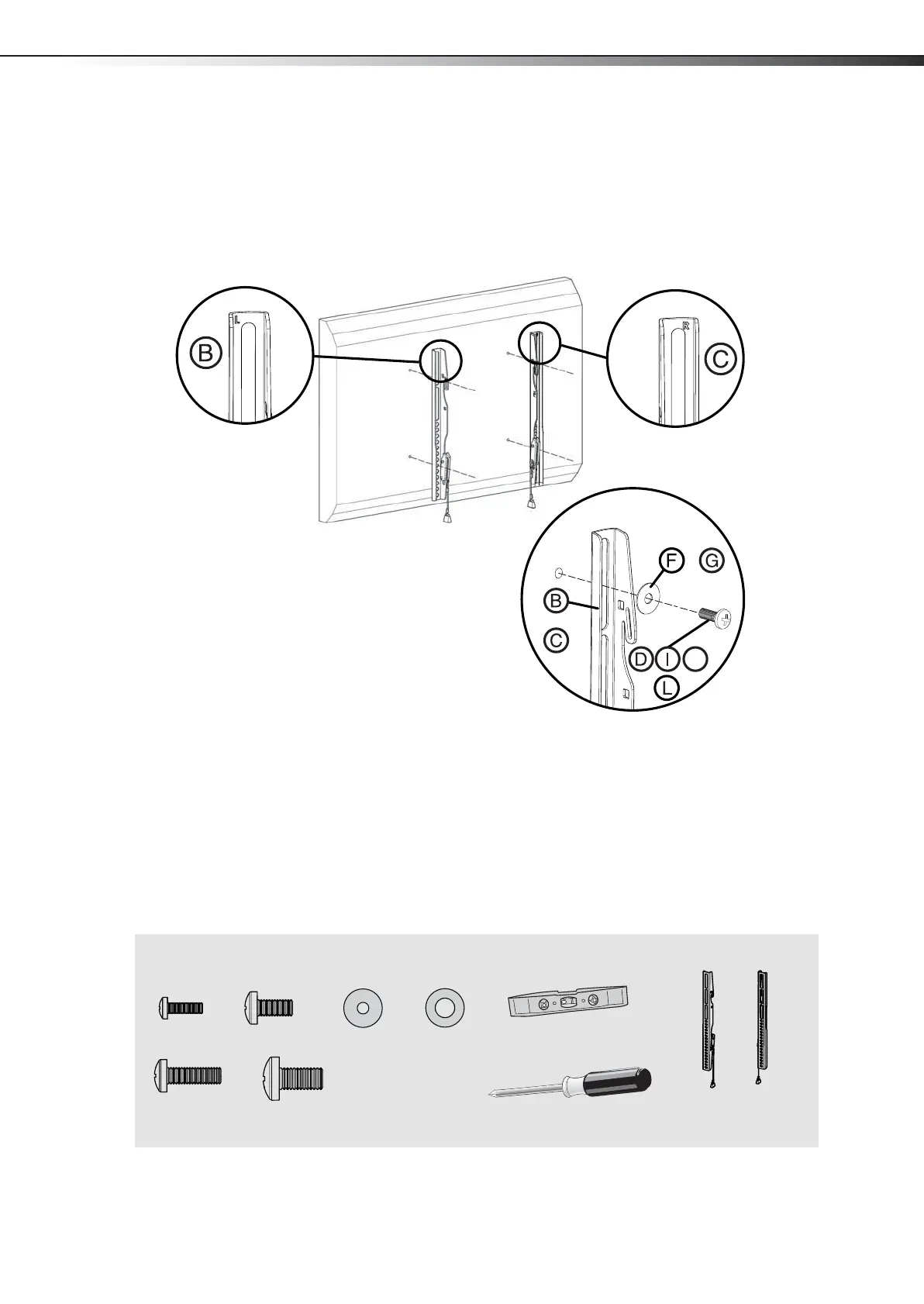
STEP 5 - Option 1: Attaching the mounting hardware to TVs with a flat back
1 Align the left and right TV brackets (B and C) with the screw holes on the back of the TV. Make sure that the
brackets are level.
2 Install washers (F or G), and screws (D, I, J, or L) into the holes in the back of the TV.
3 Tighten the screws until they are snug against the TV brackets. Do not over tighten.
You’ll need
or
or
or
J
F (4)
D (4)
Phillips screwdriver
Screws
Washers
B and C TV brackets
or
or
I (4)
G (4)
or
L (4)
J (4)
Level
DX-TVM113_13-0614_MAN_V2_EN-A4.fm Page 9 Friday, June 7, 2013 7:38 AM


 To Next Page