Plug in the appliance.
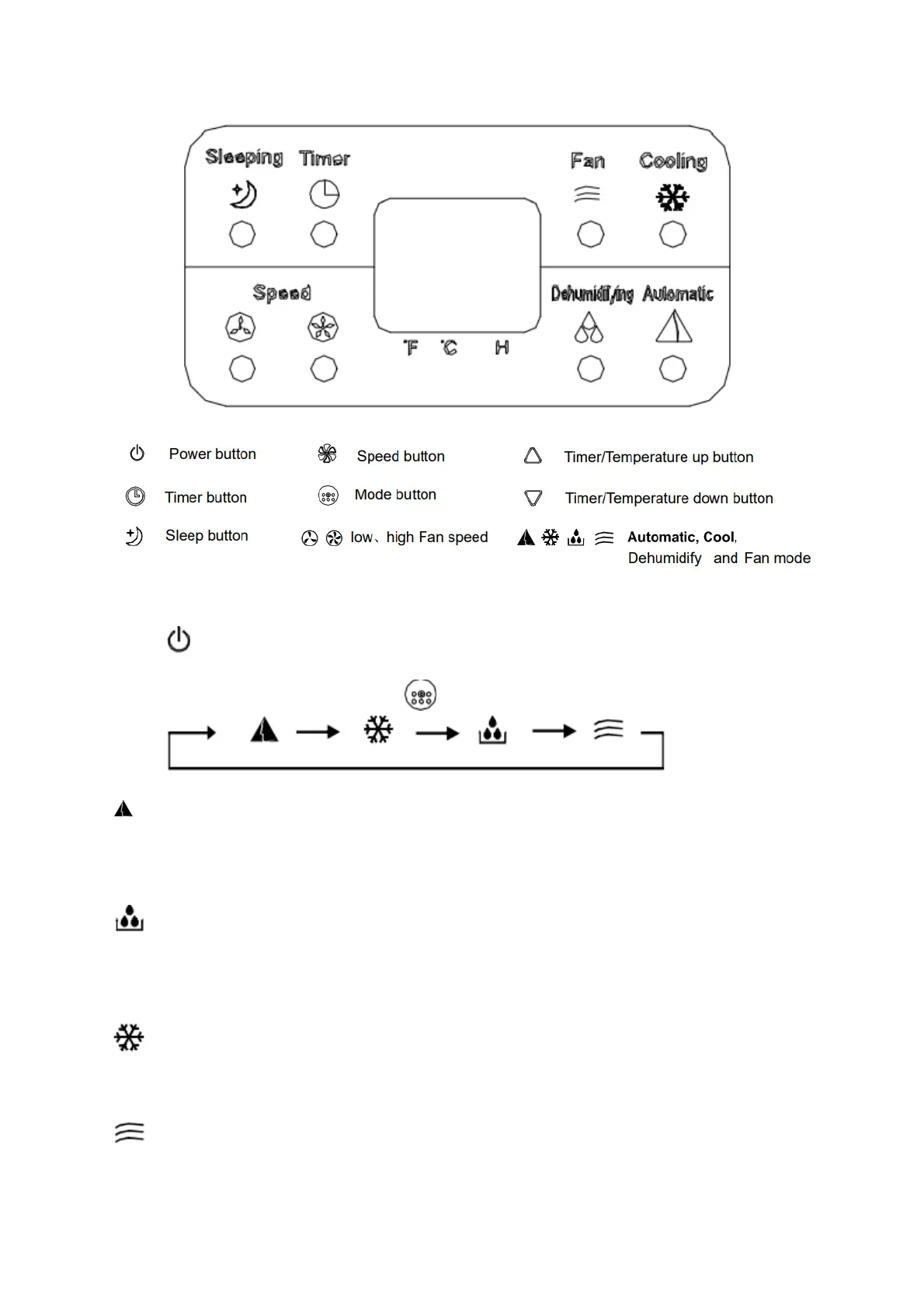
Press to turn on the unit. LED displays the room temperature and operate in Auto
mode.
Select operating mode by pressing
Auto mode: The indoor temperature sensor operates automatically to select the
desired operation mode with Cooling or Fan, if roomtemperature under 24C° Fan
mode will autamatically select
If room temperature above 24C° Cooling mode will automatically start.
Dehumidifying mode: Fan run at low speed and compressor will stop after
8min,then restart after 6min.
Unit adopts constant temperature dehumidifying mode, and the adjustment of
temperature is no effective.
Cooling mode: When room temperature is higher than set temperature, the
compressor starts.When room temperature is lower than set temperature, the
compressor stop and fan operatea t original set speed.
Fan mode: Fan run at set speed, the compressor is not working.
The adjustment of temperature is no effective.


 To Next Page